Replacing a wall switch looks like a five-minute job, and on a plain single-pole circuit it often is. Smart Switches installation turns complicated only when the wiring behind the plate refuses to cooperate, and that happens more often than product listings admit. The hardware itself is rarely the hard part. The neutral wire, the number of switches on the circuit and the bulbs at the other end decide whether a smart switch works at all.
This guide works through the checks that matter before you buy anything. You will learn how to identify a neutral wire, what to do when there is none, and why three-way circuits defeat most smart switches. It also covers how LED loads cause flicker, and which safety steps come first. Where the wiring is unclear, the honest answer is a licensed electrician.
Reading Your Wall Box: The Neutral Wire Question
A neutral wire carries current back to the electrical panel, and it gives a smart switch a permanent supply for its radio. Without that return path, the switch cannot stay awake while the light is off. The neutral is therefore the first thing to check.
In modern wiring the switch box usually holds three things. The live wire brings power in, the switched live carries it out to the fixture, and the neutral returns it. On a standard single-pole switch the neutral is often capped in the back of the box, because a mechanical switch never needed it.
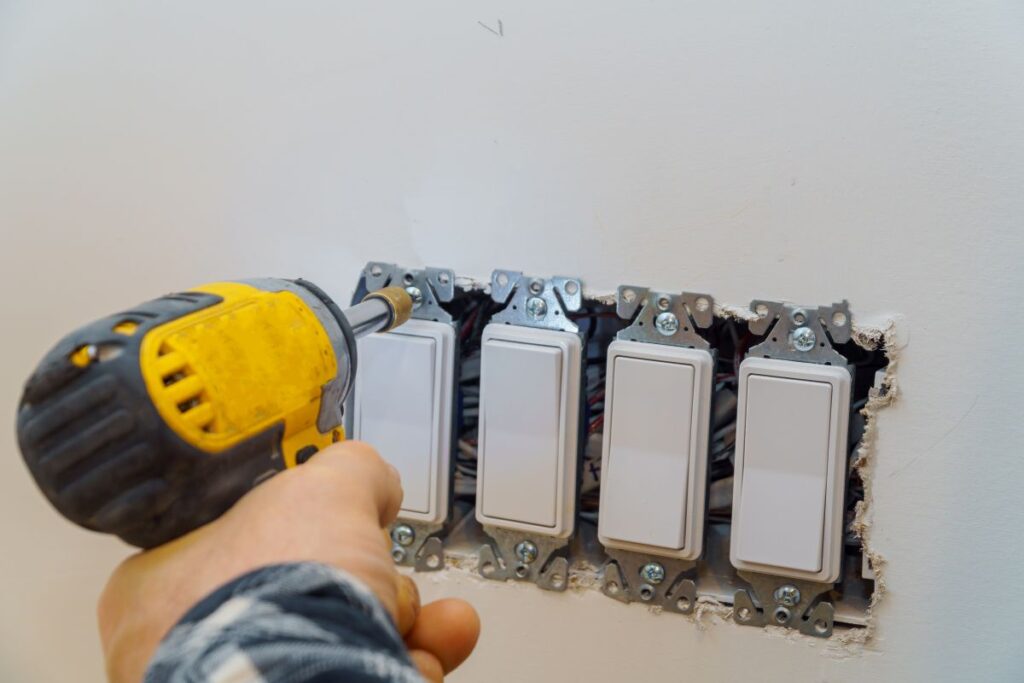
Checking is straightforward once the power is off. Remove the wall plate and the switch, then look for white wires joined together with a wire nut. Those are neutrals. If you see only two wires at the switch and no white bundle behind it, the box has no neutral available.
What to do when there is no neutral
Real options exist, and none of them involve shortcuts that ignore electrical code. You can choose a no-neutral dimmer that draws a small standby current through the fixture itself. You can keep the wall switch and use smart bulbs instead. Or you can pay an electrician to run a neutral to the box, which is the cleanest long-term fix.
What you must never do is reuse the ground wire as a neutral or borrow a neutral from another circuit. Both create shock and fire hazards, and both break code. Some no-neutral designs also energise the fixture faintly even when the light is off, which is normal rather than a fault. If the box is ambiguous, send an electrician a photo before you buy parts.
Two-Way and Three-Way Switches: Why They Resist Smart Control
The names confuse people, so start with the number of switch locations. A two-way circuit has one switch controlling one fixture. A three-way circuit has two switches controlling the same light, usually at the top and bottom of a staircase. A four-way circuit adds a third switch to that same light.
Single-location wiring is what most smart switches assume. A three-way circuit instead uses two traveler wires and a common terminal, so either switch can flip the light. A standard smart switch has no concept of a traveler, so it cannot simply replace one of the two devices.
Manufacturers solve this in two ways. The first is a companion switch, a matching device wired into the second box that talks to the main unit. The second is a wireless remote or scene button that mounts in the second location and needs no traveler wiring at all. Both approaches work, and both require buying the right parts up front.
Mixing brands here rarely ends well. Companions and remotes are usually proprietary, so a third-party switch will not understand another brand’s three-way logic. Buy the main switch and its companion together, and note which box holds the line feed, because that is where the main unit belongs.
LED Bulbs, Minimum Load and Dimming
Smart switches and dimmers are designed around a minimum load, and modern LED bulbs make that figure easy to miss. A dimmer might need 25 or 50 watts to regulate cleanly, while a single LED bulb often draws only 8 to 12 watts. Fall below the threshold and the switch can misbehave.
The light may flicker, buzz, or glow faintly when it is supposedly off. A low-load LED can draw a trickle of current that never quite turns the fixture dark. That is the faint night glow common with no-neutral designs.
The fixes are practical. Add a bypass load sold for exactly this problem, install enough bulbs to clear the minimum, or pick a switch rated for low-wattage LED loads. Check the published bulb compatibility list first, like the ones manufacturers print beside each switch. Those lists name bulbs that were verified to work.
Dimmer switches versus plain on/off switches
Dimmers add brightness control, and with it a second compatibility layer. They require dimmable LED bulbs, and even then some bulbs buzz or flicker on a given dimmer. Plain on/off smart switches sidestep the problem because they only ever switch the full load. As a result, they work with any bulb, dimmable or not. If you never dim the light, an on/off switch is the simpler choice.
Hub or App Only: What Each Setup Requires
How a switch connects decides what else you must buy. Wi-Fi smart switches join your existing network and run from the manufacturer’s app with no bridge or hub. That is the simplest path, and the trade-off is that every switch becomes another device competing for your router’s attention.
Zigbee and Z-Wave switches need a hub that speaks the same protocol, and they keep that traffic off your Wi-Fi. Matter and Thread switches aim for cross-brand compatibility but need a border router, which many newer hubs and speakers already provide. Our guide to hubs for multiple device brands compares the realistic options, and the protocols explained piece covers the radios underneath. The Matter standard itself is behind that push.
For a handful of switches, Wi-Fi or Matter-over-Wi-Fi is the least fussy route. Once you own many devices, a hub-based system scales more gracefully and keeps your Wi-Fi clear for everything else.
Wired Smart Switches vs Battery-Powered Wall Switches
Wired smart switches replace the device inside the box and take power from the circuit. They never need a battery, and they control the load directly. As a result, they keep working as a manual switch even when the network is down.
Battery-powered wall switches are a different animal. They mount on the surface with adhesive or screws, they need no wiring, and they often act as remote controls rather than load switches. That makes them ideal for renters and for awkward spots where no wired switch exists. The cost is maintenance, because the battery eventually dies. Most also need a hub or bridge.
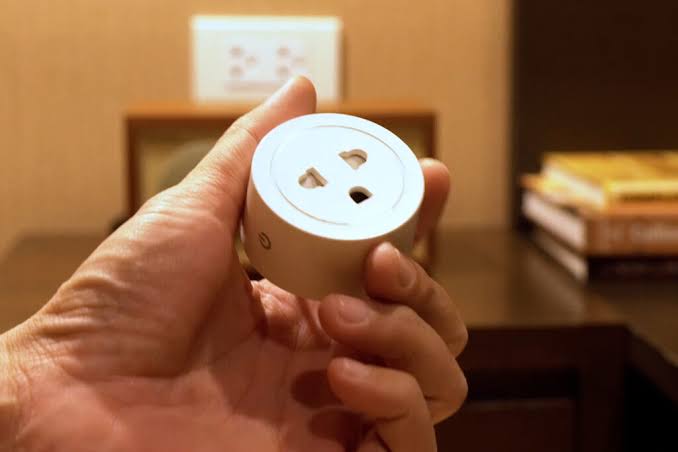
A common trap is buying a battery wall switch expecting it to control the ceiling fixture directly. Many cannot. Confirm whether the product switches a load or only sends a command, because that decides whether it replaces your switch or merely duplicates one. If you only want app control without touching the wall, a smart plug covers a plug-in lamp more cheaply.
Smart Switches installation: Safety Checks Before You Start
Mains voltage is unforgiving, and every step below exists for a reason. Run through the list before you loosen a single screw, and skip the job if any item leaves you in doubt.
- Switch off the breaker. Turn off the breaker that feeds the circuit, not just the wall switch, and label it so nobody restores power while you work.
- Verify with a voltage tester. Touch a non-contact tester to every wire in the box after the breaker is off, because some boxes hold more than one circuit.
- Photograph the wiring first. A clear photo of the existing connections is your reference if you lose track, and it helps an electrician assist you remotely.
- Check the box depth. Smart switches are deeper than mechanical ones, and a crowded metal box may not leave room for the extra wire nuts.
- Confirm the load. Match the switch rating to the bulb wattage and the minimum load, and stay inside the manufacturer’s published limits.
- Respect grounding. Connect the ground as the instructions specify, and never use it as a substitute for a missing neutral.
- Call an electrician when in doubt. Aluminum wiring, cloth insulation, too many circuits in one box or any uncertainty is a professional’s job.
Install one switch first, in a room you use daily, and test it fully before committing to the whole house. That single unit teaches you the wiring pattern, the app setup and the real bulb behaviour for a fraction of the risk.
Comparison Table by Installation Type and Requirement
Use the table as a shortlist tool. Find your situation in the first column, then read across for the wiring requirement and the main thing to watch.
| Installation or requirement | Neutral wire | Recommended approach | Main watch-out |
|---|---|---|---|
| Single-pole light, modern box | Present | Wired smart switch, on/off or dimmer | Confirm box depth before ordering |
| Single-pole light, older box | Absent | No-neutral dimmer or smart bulbs | Faint glow or flicker from standby current |
| Two switches on one light (three-way) | Usually present | Smart switch plus companion or remote | Traveler wires and the common terminal |
| Dimming with LED bulbs | Present | Smart dimmer plus dimmable bulbs | Minimum load and bulb-level buzz |
| Very low load, one small LED | Present | Add a bypass load or more bulbs | Below the switch’s minimum wattage |
| Renting or no wiring allowed | Not applicable | Battery wall switch or smart plug | Battery changes and hub dependence |
| No hub wanted | Present | Wi-Fi or Matter-over-Wi-Fi switch | Router load and 2.4 GHz only |
| Multi-brand smart home | Present | Zigbee, Z-Wave or Matter switch | Hub or border router required |
One pattern stands out across every row. The wiring decides your options long before the feature list does. That is why the table starts with the neutral and the circuit type rather than with brand or brightness.
Frequently Asked Questions
How do I know if my switch box has a neutral wire?
Turn off the breaker, then remove the wall plate and the switch. Look for white wires bundled together with a wire nut at the back of the box. If that bundle exists, you have a neutral. If you only see wires running to the switch, with no capped bundle behind it, the box most likely does not.
What can I do if my home has no neutral wire?
You have three realistic choices. Buy a no-neutral dimmer, keep the switch and use smart bulbs, or hire an electrician to run a neutral. Avoid any shortcut that uses the ground wire or another circuit’s neutral, because those are dangerous and against code. A photo sent to an electrician usually confirms which option applies.
Why does my smart switch flicker or buzz with LED bulbs?
It usually means the load sits below the switch’s minimum wattage. A single modern LED can draw under 10 watts, while a dimmer may need 25 watts or more to regulate cleanly. The result is flicker, a faint glow when off, or audible buzz. Adding a bypass load, fitting more bulbs or choosing a low-load-rated switch normally solves it.
Do smart switches work with three-way circuits?
They can, but rarely with a single switch. A three-way circuit has two travelers and a common terminal, and a standard smart switch has no way to interpret that. You normally need the matching companion switch in the second box, or a wireless remote mounted there instead. Buy the main switch and companion together, and keep them the same brand.
Do I need a hub for a smart switch?
Not always. Wi-Fi smart switches connect straight to your network and run from an app with no hub. Zigbee and Z-Wave switches need a hub that speaks the same protocol. Matter and Thread switches need a border router, which many newer hubs and speakers already include. The choice affects how gracefully the system scales.
Is installing a smart switch safe to do myself?
For a careful owner with a single-pole circuit and a neutral present, it is a manageable job. The requirements are a breaker you can shut off, a voltage tester, and patience. Three-way wiring, aluminum or cloth wiring, crowded boxes and any uncertainty belong with a licensed electrician. If you doubt your reading of the wiring, stop and get help.
Final Thoughts
The wiring in your wall decides more than the brand on the box, so check it first. Confirm the neutral, count the switches on the circuit, and match the load to the bulbs. Then decide whether you want a hub or a direct connection, and handle the safety steps with respect. Start with a single switch before scaling up. Do that, and Smart Switches installation becomes a quiet upgrade you never think about again.
Not ready to open a wall box? Our best smart bulbs buying guide covers fixtures you can upgrade in seconds, with no wiring at all.
Updated 7 October 2026: this guide was rewritten and expanded, with a decision checklist, a comparison table, compatibility notes and an FAQ added.
Written by Ángel D. Serrano, who runs Automating Our Home. Finishing a philosophy degree, a patient reader of manuals, and the person who has broken more smart plugs than he will admit. He writes the guides so you only have to decide once.