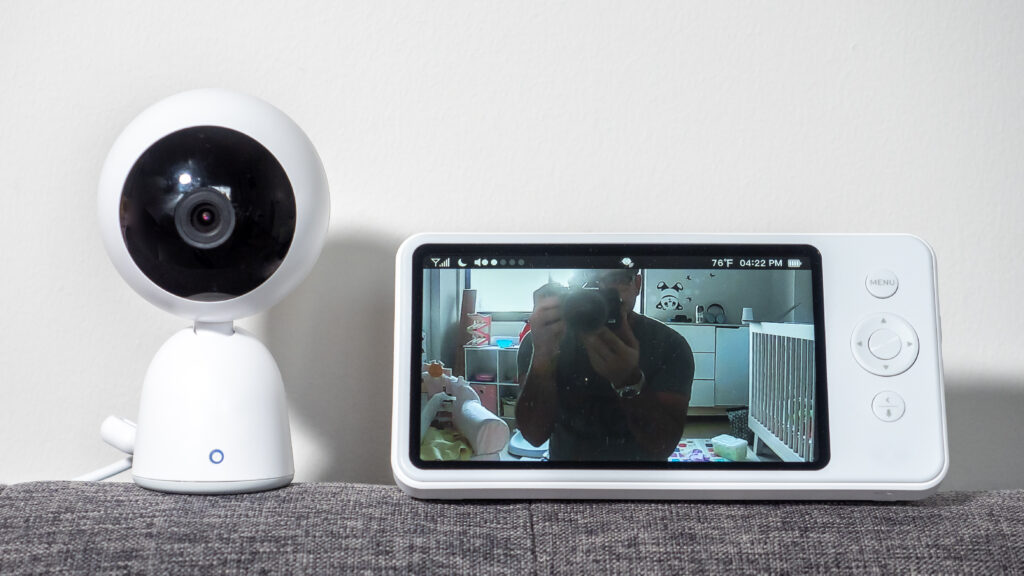
Cameras that watch the inside of your home serve a different purpose than outdoor ones. They’re not trying to catch an intruder before the door opens. Instead, they let you check on the two groups that need it most: pets left alone, and babies sleeping in another room. Our wired vs wireless security cameras guide covered outdoor coverage, so this guide stays indoors. We’ll compare the best indoor security cameras for pet and baby monitoring. We’ll also explain what actually matters when a camera sits inside your living space.
How We Chose the Best Indoor Security Cameras
Every model on this list can stream video to your phone. The differences that matter are smaller, and more personal, than that. These are the five factors we weigh most heavily for indoor use:
- Two-way audio. You’ll want to hear a crying baby or a barking dog, and to answer back. Audio quality varies more between models than most buyers expect.
- Smart alerts. The best models tell you what happened, not just that something moved. For example, some can distinguish a person from a pet, which cuts false alarms dramatically.
- Night vision. Babies and pets are most active when you’re asleep or away. Infrared night vision is standard, and a few budget models now capture color in low light.
- Privacy controls. This camera lives inside your home, so look for physical lens covers or easy shutdown modes. A camera you can switch off completely is easier to live with.
- Storage and subscriptions. Decide whether clips should stay on a memory card or go to the cloud before you buy. That single choice drives the long-term cost.
Wyze: The Budget Standard
Wyze built its name on a simple idea: a capable indoor camera shouldn’t cost a fortune. Its models regularly top budget lists, and the Wyze app keeps things refreshingly simple.
- Serious features for less. Night vision, two-way audio, and motion alerts come standard at a price that undercuts most rivals.
- A dependable app. Setup takes minutes, and the live view loads quickly on phones and tablets.
- Optional extras stay optional. A low-cost subscription adds smarter alerts and longer clips, but the camera works fine without it.
Where Wyze cuts corners:
- Privacy controls are basic. Most models lack a physical lens cover, so you disable the camera through software instead.
- Sound and smarts trail the premium names. Audio clarity and AI detection are good for the price, but not class-leading. That matters when you’re trying to hear a baby cry in another room.
Best for: budget buyers who want solid monitoring without spending big, and who accept software-only privacy controls.
Eufy: Local Storage, No Subscription Pressure
Eufy approaches indoor cameras from the privacy angle. Its Eufy indoor models record to a memory card or a home base by default, which means your footage never has to leave the house.
- Local storage by default. Recordings land on a memory card or a base station, with no subscription required for the basics.
- A privacy-first reputation. The brand’s core pitch is that your footage stays at home, which suits indoor cameras especially well.
- Broad assistant support. Eufy cameras work with Alexa and Google Home through the same app.
What to weigh before buying:
- Cloud extras cost extra. Off-site backup and advanced alerts are paid add-ons, as with most rivals.
- A smaller ecosystem. Eufy’s indoor cameras play best with other Eufy gear, so mixing brands means juggling apps.
Best for: privacy-conscious owners who want recordings without a recurring bill.
Aqara: Local-First Design With Matter Smarts
Aqara is less known than the giants, but its indoor cameras punch above their weight. Privacy is baked into the design, and the Aqara lineup integrates tightly with Matter-based setups.
- Local-first and privacy-minded. Recording stays local by default, and the app makes it easy to switch cameras off when you’re home.
- Hub duties included. Some Aqara models double as hubs for the brand’s sensors, which removes the need for a separate bridge.
- Compact, neutral hardware. Small cameras that don’t dominate a nursery shelf or a living room corner.
What to weigh before buying:
- App polish lags the leaders. The Aqara app is capable, but busier than Eufy’s or Ring’s.
- Patchier retail presence. Availability varies by country, so check shipping before you commit to a model.
Best for: smart home enthusiasts building a Matter-based setup who value local recording.
Ring: The Natural Fit for Alexa Homes
Ring is best known for doorbells, but its indoor cam shares the same app and subscription. Ring indoor cameras make most sense when your household already runs on Alexa.
- Seamless Alexa integration. Live view appears on Echo Show screens, and voice commands pull up a camera in seconds.
- One app for everything. If you already own Ring doorbells, the indoor cam joins the same dashboard with no learning curve.
- Mature motion alerts. Ring’s notification tuning is polished, especially when paired with the optional subscription.
What to weigh before buying:
- Cloud-first storage. History and recordings require a paid plan, and there’s no local-only option on most models.
- Privacy trade-offs. Footage lives in the cloud by default, which matters more indoors than it does on a porch.
Best for: Alexa households that want every camera on the property under one app.
Side-by-Side Comparison
| Wyze | Eufy | Aqara | Ring | |
|---|---|---|---|---|
| Best for | Budget buyers | No-subscription owners | Matter-based setups | Alexa households |
| Storage approach | Cloud and memory card | Local by default | Local by default | Cloud only |
| Subscription for history | Optional | Not needed for local | Not needed for local | Yes |
| Privacy features | Software only | Local-first design | Local-first design | Software only |
| Ecosystem fit | Standalone app | Alexa and Google | Matter and Aqara | Alexa |
| Standout feature | Low price | No monthly fee | Smart home integration | Echo Show support |
Read the table as a starting point, not a verdict. The right brand depends on the assistant you already use and the subscription you’re willing to tolerate. For example, a Wyze camera makes little sense if you’re determined to avoid cloud subscriptions entirely. Likewise, a Ring camera frustrates a Google-first household. Therefore, match the column that matches your home, and the rest of the decision gets easier.
Dedicated Baby Monitors and Pet Cams: When to Look Beyond
Security cameras are generalists, and that’s their strength. However, specialized devices do some jobs better. If your only goal is watching a sleeping baby overnight, a dedicated baby monitor like Nanit adds sleep analytics that generic cameras don’t offer. Meanwhile, if your dog spends the day alone, an interactive pet cam like Furbo can toss treats and tell you when barking starts.
The trade-off is scope. A dedicated device usually costs more and does one thing well. A security camera also records evidence, covers other rooms, and feeds a whole-home system. As a result, many families end up with both: a security camera for general coverage, plus a specialized device for the nursery or the crate. For that reason, ask yourself what you’ll actually use before paying for niche features. For example, treat tossing sounds delightful until you realize the camera needs refilling and the dog may ignore it anyway. In contrast, a basic camera with solid two-way audio covers most pet needs at a fraction of the price.
Where to Put an Indoor Camera
Placement decides how useful an indoor camera becomes. A few minutes of planning beats repositioning it for weeks.
- In the nursery. Mount it high on a wall or shelf, angled toward the crib. Keep cords out of reach, and avoid pointing the lens at a window, where reflections ruin the night image.
- For pets. Aim the camera where your pet actually spends the day, such as the couch or the crate. Don’t try to cover a whole room at once.
- Near the front door. An indoor camera facing the entry doubles as cheap security and catches packages the moment they arrive.
One more rule applies to every indoor camera: respect other people’s spaces. Point cameras away from bedrooms you don’t monitor, bathrooms, and neighbors’ windows. An indoor camera is a powerful tool, and the trust it requires is easier to keep when its reach is clearly defined.
Privacy Matters More Indoors
An outdoor camera watches your yard. An indoor camera watches your life, which is why privacy deserves its own section. Start with the account that controls the camera. Use a strong, unique password and enable two-factor authentication, since a compromised indoor camera is a serious invasion. Then decide where footage lives. Local storage keeps clips in your home, while cloud plans store them on company servers. The FTC’s consumer guidance on securing internet-connected devices at home covers these basics well.
Finally, use the camera’s own controls. Switch it off when it’s not needed, cover the lens when you can, and review who in the household has app access. A camera you can disable completely is easier to live with than one that is always watching.
Our Recommendation by Situation
- Tight budget, basic monitoring → a Wyze indoor camera, which covers the essentials for less.
- No monthly fees, recordings kept at home → Eufy’s indoor models.
- Building a Matter-based smart home → Aqara, for integration and local-first design.
- Already living in an Alexa household → Ring, for the smoothest experience across screens.
- Newborn nursery with sleep tracking wanted → a dedicated monitor like Nanit instead of a security camera.
- Dog home alone with separation anxiety → an interactive pet cam like Furbo, or a strong two-way audio camera as a compromise.
Final Thoughts
The best indoor security camera for pet and baby monitoring is the one that fits how you actually live. A camera that annoys you with false alerts or monthly demands will end up unplugged, which helps nobody. Therefore, narrow the best indoor security cameras down with three questions. Who will be watched? Where will the camera point? How much do you want to pay month after month? Answer those honestly, and any of the four brands above will serve you well. Then place it thoughtfully, secure the account, and enjoy the simple superpower of checking on the ones you love from anywhere.
Building out a whole-home setup? Our DIY smart home security system guide ties cameras, sensors, and locks together step by step.
Written by Ángel D. Serrano, who runs Automating Our Home. Finishing a philosophy degree, a patient reader of manuals, and the person who has broken more smart plugs than he will admit. He writes the guides so you only have to decide once.