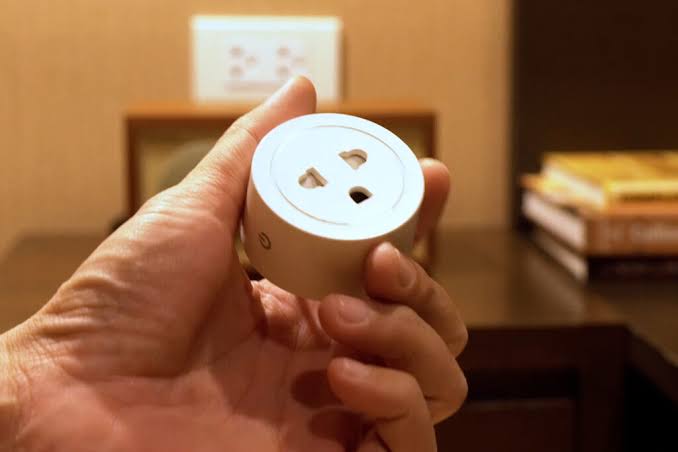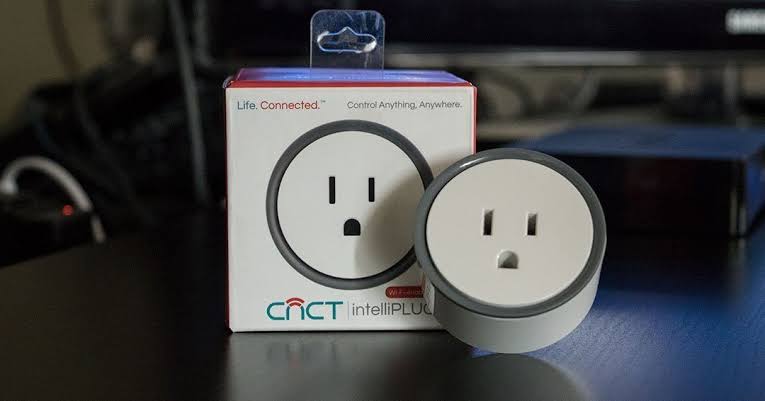
Best budget Smart Plugs live in an odd corner of the smart home market. A twelve-dollar plug and a forty-dollar plug share one basic job, which is turning a dumb appliance into a scheduled, voice-controlled one. The expensive model rarely buys a better relay. What it buys is energy monitoring, Apple Home support, or local control that keeps working when the maker’s cloud goes dark. This guide covers what the under-fifteen-dollar tier truly delivers, where cheap hardware stops being safe, and which extras deserve your money.
Amperage, protocol, and cloud dependence decide more about a plug than the brand name printed on the box.
What the Under-$15 Tier Really Gets You
A cheap plug is not a lesser plug in every way. Schedules, timers, remote on-off, and voice control are standard even at this price, and together they cover most of what people actually want.
What degrades first is not features but headroom and polish. Budget relays are rated for lower current, apps are less stable, and firmware updates arrive less often. In fact, the largest gap between cheap and premium is usually how long a plug keeps doing its job.
The trade-off list stays short and predictable. Under fifteen dollars you generally give up three things: energy monitoring, Apple Home support, and the option to run without the cloud.
Amps, Watts, and What a Cheap Plug Can Actually Run
The rating printed on the box matters more than any app feature, and most buyers skip it. Most budget plugs in North America are rated for ten to fifteen amps at 120 volts, which works out to roughly 1,200 to 1,800 watts. In Europe and the UK, look for a thirteen-amp or sixteen-amp rating at 230 volts. The specifications on TP-Link’s smart plug line show how these figures are listed.
Those figures describe a resistive load, such as a lamp, a charger, or a TV. They do not describe a heating element or a motor, which is exactly where cheap plugs get into trouble. A space heater pulling 1,500 watts sits at the limit of a fifteen-amp plug, and many budget models are certified for only ten amps. As a result, the plug runs hot, the relay wears out early, and the housing can discolor.
Inductive loads are the second trap. A device with a motor or a compressor draws a surge of current at startup. That surge can reach several times the running load. A plug rated for the running wattage can still buzz, trip, or fail on that inrush. When a listing says “resistive loads only,” it means the motor case is out of scope.
Budget plugs suit lights, fans, chargers, routers, and small electronics. Keep heaters, kettles, air conditioners, and anything with a large motor in the wall socket. Choose a heavier-duty plug for those loads, and check that it names a motor rating. Our guide to how smart plugs work and what they are best used for covers load limits in more detail.
How to Choose the Best budget Smart Plugs
Choosing well at this price is a matter of reading the small print. Run through these checks before anything goes in the cart.
- Check the amp and watt rating. Match it to the load rather than the price, because a ten-amp plug is fine for a lamp and wrong for a heater.
- Look for a certification mark. UL or ETL means the device passed real testing, and a plug with no mark is worth avoiding at any price.
- Confirm the protocol. Wi-Fi, Zigbee, Matter, and Thread behave differently, and the choice affects your router and your hub.
- Decide whether you need the cloud. If a routine must survive an outage, local control matters more than any feature list.
- Judge the app before the plug. A mature app with a track record beats a flashy one from a company that may not exist next year.
- Do the multi-pack math. A two-pack or four-pack often drops the per-plug price below a single unit.
None of these checks costs extra money. They separate a plug that lasts five years from one that lasts five months.
Energy Monitoring: When the Extra Cost Earns Its Place
Energy monitoring is the feature most often missing from budget plugs. A monitoring plug reports how much power the connected device draws, usually in watts, and logs that figure over time.
Monitoring earns its place in three situations. You suspect an old appliance is quietly costing you money. You want to shift a heavy load to cheaper off-peak hours. Or you are trying to shrink a bill you cannot explain. For a lamp that runs two hours a night, the reading is interesting but rarely actionable.
At this price, metering is usually a separate model rather than a separate brand. Expect the monitoring version to sit a little above the plain one, and check the app carefully. Some budget brands log history well. Others show only a live number that vanishes when the screen closes.
Monitoring tells you what a device uses, not how to reduce it. The savings only appear when you change a habit.
Local Control vs the Cloud: What You Lose When a Server Dies
Most cheap plugs are cloud devices. The app on your phone does not talk to the plug directly. It talks to the manufacturer’s server, which relays the command. That design is quick to set up and works from anywhere, but it adds a dependency you do not control.
When that server goes down, or the company folds, or your internet drops, two things break. Voice control and app control stop. Any schedule the app runs in the cloud stops with them. A schedule stored on the plug itself usually keeps running, which is why offline behavior is worth checking.
Local control is the alternative. Some plugs can be driven directly by a hub on your own network, so the command path never leaves the house. Home Assistant documents which plugs integrate locally, and that route removes the cloud as a single point of failure.
The practical question is whether you can live with the outage. For a routine that matters, such as a pump or a heating schedule, local control is worth the effort.
Wi-Fi vs Zigbee Plugs: Two Different Jobs
A Wi-Fi plug and a Zigbee plug look identical on a shelf, and they behave differently later. Wi-Fi plugs connect straight to your router, so they need no hub and pair in minutes. Zigbee plugs need a hub or a compatible speaker, which adds a device and some setup.
Wi-Fi plugs are simpler to start with but harder to scale. Each one holds an IP address and a live connection, and a router carrying a dozen of them feels the strain. Zigbee plugs use a low-power mesh, so they draw far less and leave the Wi-Fi band clear. In other words, a large setup favors Zigbee, and a handful of plugs favors Wi-Fi.
Zigbee also carries a hidden cost, which is the hub. If you already own one, Zigbee plugs become cheap and tidy. If you do not, the hub changes the economics. Our guide to hubs that support multiple brands explains which hubs cover which protocols. The wider comparison of Zigbee, Z-Wave, and Wi-Fi digs into the differences.
One point applies to both. Wi-Fi plugs mostly pair on the 2.4 GHz band, and a crowded band is a common cause of dropped connections.
Electrical Safety, Certifications, and Cheap Extras to Skip
Safety is the one area where a cheap plug can be genuinely dangerous, and the evidence sits on the packaging. A recognized certification mark means the device passed tests for overheating, short circuits, and flame. In the United States, look for UL or ETL on the box. In Europe, look for the CE mark and the relevant national approval. A plug with no mark, or with one that looks photocopied, has skipped that testing.
Beyond certification, three details separate a safe plug from a risky one. The housing should feel solid rather than flexible. The plug should sit firmly in the socket. The watt rating should match the load with margin to spare. An overloaded plug that runs warm to the touch is telling you it is mismatched.
Several cheap extras look like value and are not. A built-in USB port on a budget plug often delivers slow charging that phones ignore. A power strip with an embedded smart plug puts several loads behind one cheap relay, which multiplies the risk. Mini plugs save space but often cut the amp rating, so they suit a lamp and little else.
On the account side, every plug with an app is a small computer on your network. Change the default password and keep the firmware current. The FTC guidance on securing connected devices is a short, practical checklist for that job.
Matching a Plug to the Job
The Best budget Smart Plugs are not one product but a family of compromises. Start from the load rather than the brand. The table below matches common jobs to the plug features that matter for each one.
| Use case | What to look for | Monitoring worth it? | Watch out for |
|---|---|---|---|
| Table lamp or accent lighting | Basic Wi-Fi plug, low wattage | No | Schedule lost if the cloud is down |
| Desk or floor fan | Ten-amp plug with timer support | No | Short motor surge at startup |
| Coffee maker routine | Fifteen-amp plug, fixed schedule | Sometimes | Heating element runs near the limit |
| Hunting for phantom loads | Plug with a metering model | Yes | Apps that show a live figure only |
| Space heater or air conditioner | Heavier-duty plug with a motor rating | Sometimes | Most budget plugs are resistive only |
A few rows deserve a note. A coffee maker on a timer works well with a solid fifteen-amp plug, yet it is still a heating element. Fans are motors, and their startup surge is brief but real. No table replaces reading the rating on the exact model you buy.
Frequently Asked Questions
Are Best budget Smart Plugs safe to leave on all day?
Yes, if the plug carries a real certification mark and the load stays within its amp rating. A lamp, a fan, or a router can stay on all day without worry, because those are low-draw loads. Do not leave a heater, a kettle, or an air conditioner on a cheap plug unattended. Those exceed what most budget relays are certified to handle.
Can a cheap smart plug handle a space heater or an air conditioner?
Usually not. A space heater can pull close to the full wattage of a fifteen-amp plug, and many budget models are certified for only ten amps. An air conditioner adds a startup surge on top of that, because the compressor is an inductive load. Both belong in the wall socket unless the plug explicitly lists a motor rating.
Do I need a hub to use a budget smart plug?
It depends on the protocol. A Wi-Fi plug needs no hub at all, because it joins your router directly and pairs in minutes. A Zigbee or Z-Wave plug does need a hub, or a compatible speaker acting as one. If you already own a hub, the lower-priced Zigbee plugs become an easy choice.
What happens to my schedules if the internet goes down?
It depends on where the schedule lives. If the app runs it in the cloud, the routine stops until the connection returns. If the plug stores the schedule on the device, the routine keeps running. Check the documentation for offline behavior, because the difference is invisible until the day it matters.
Is energy monitoring worth it on a budget plug?
It is worth it when you have a specific question to answer, such as what an old freezer draws. It is not worth it for a lamp that switches on for two hours each evening. Treat monitoring as a small upgrade, and buy the plain version unless you will genuinely use the numbers.
Why do my budget smart plugs disconnect from Wi-Fi?
Most budget plugs use only the 2.4 GHz band, so a crowded network or a weak signal is the usual cause. Routers that share one network name across both bands can confuse them at setup. Giving the 2.4 GHz band its own name solves most dropouts. Keeping plugs near the router helps as well.
Final Thoughts
The under-fifteen-dollar tier is a good place to buy smart plugs, as long as you respect its limits. Match the amp rating to the load, insist on a certification mark, and decide early whether you need the cloud. Buy a multi-pack rather than single units, and skip the extras that add risk instead of value. Step up a tier only for features you will genuinely use, such as metering or local control.
If a big appliance is the problem, our guide to smart fans and air conditioners covers the devices built for that load.
Updated 7 October 2026: this guide was rewritten and expanded, with a decision checklist, a comparison table, compatibility notes and an FAQ added.
Written by Ángel D. Serrano, who runs Automating Our Home. Finishing a philosophy degree, a patient reader of manuals, and the person who has broken more smart plugs than he will admit. He writes the guides so you only have to decide once.