Lighting makes a gaming room feel finished. A strip glowing behind the monitor reduces eye strain during long sessions. Colored light behind the TV turns movie nights into something closer to a theater. However, the strip market is crowded, and the differences matter more than the photos suggest. Some strips show one color at a time. Others split into zones that ripple with the action, and a few sync with what’s on screen. In this guide, we compare the best smart light strips for gaming rooms in 2026. We cover brightness, sync options, and the placement tricks that separate a great setup from a gimmick.
How We Chose the Best Smart Light Strips for Gaming Rooms
After comparing the current generation of strips, these are the five factors we weigh most heavily for gaming spaces:
- Zones and segments. A strip with independent segments, sometimes called RGBIC or gradient, can show several colors at once. That’s what creates the flowing effects gaming rooms are known for, and single-color strips cannot do it.
- Sync options. Music-reactive modes respond to sound, while screen-sync systems mirror what’s on the monitor or TV. Decide which experience you want before you shop, since they use different hardware.
- Brightness and color quality. Gaming strips live near screens, so they need enough output to glow without washing out the display. Check that colors look rich rather than pastel.
- Cutting and extending. Most strips can be cut at marked points and extended with connector kits. Measure your desk or TV perimeter first, since lengths vary widely.
- App and ecosystem. The app controls effects, and assistant support decides whether voice commands work. Alexa and Google are common; Apple Home support varies by brand.
One decision worth making early: strips or bulbs? Strips excel behind monitors, TVs, and along shelves, while bulbs suit lamps and ceiling fixtures. If you’re weighing both, our best smart bulbs guide covers the bulb side of that choice.
Govee: The Gaming Effects Leader
Govee owns this category in the eyes of most buyers. Its RGBIC strips split into segments that run effects across the room. The brand also covers everything from desk strips to TV backlight kits with camera or HDMI sync.
- RGBIC segmentation. Multiple colors at once create the flowing waves and ripples that define the gaming look.
- Effects for days. Music sync, gaming modes, and hundreds of presets come free in the app.
- TV sync options. Backlight kits with a camera puck, and newer HDMI-based sync boxes, mirror screen content without breaking the budget.
- Fair prices. Govee delivers more effects per dollar than any premium rival.
Where Govee asks for more in return:
- App depth over polish. The app is powerful, but menus feel busier than Hue’s or LIFX’s.
- Ecosystem edges. Alexa and Google work well, while Apple Home support remains inconsistent across models.
Best for: gamers who want maximum effects and TV sync without premium prices.
Philips Hue: The TV Sync Reference
Philips Hue approaches gaming lighting from the home-theater side. Its gradient lightstrip for TVs and the HDMI sync box are the reference setup for screen-matched ambience, and the ecosystem around them is unmatched.
- True screen sync. The gradient strip behind a TV, paired with the Hue HDMI sync box, mirrors on-screen colors with impressive accuracy.
- Gradient hardware. The strip blends colors along its length, which looks far more natural behind a TV than a strip showing one color.
- Deep ecosystem. Dimmable, reliable, and supported by every assistant, plus Matter-ready bridges.
- Sync beyond gaming. The same hardware upgrades movie nights and sports viewing, so the room earns its keep.
Where Hue asks for more in return:
- Premium pricing. The strip, the bridge, and the sync box add up faster than any rival setup.
- Hub required. The full experience needs the Hue Bridge and, for screen sync, the HDMI sync box.
Best for: owners who want reference-quality TV sync and already accept the Hue ecosystem cost.
LIFX: Bright, Hub-Free, and Simple
LIFX keeps its usual formula for strips: direct Wi-Fi, no hub, and genuinely bright output. The LIFX lightstrip is a solid choice when you want vivid color without building an ecosystem.
- No hub required. Connect to Wi-Fi and go, which suits renters and single-room setups.
- Strong brightness. LIFX output stands out, which matters when the strip must glow beside a bright monitor.
- Clean app experience. Effects, schedules, and colors live in one of the tidier apps in the category.
- Multi-zone effects. Current models divide into zones, closing the gap with segment-based rivals.
Where LIFX asks for more in return:
- Smaller catalog. Fewer accessories and sync-box options than Govee or Hue.
- Wi-Fi load. Every LIFX device joins your network directly, so whole-home setups need a capable router.
Best for: gamers who want a bright, simple strip without a hub or a monthly fee.
Nanoleaf: Modular Walls and Matter-Native Gear
Nanoleaf built its reputation on modular light panels, and gamers use them to turn an entire wall into a canvas. Its Essentials line also includes Matter-native lightstrips that connect over Thread.
- Modular creativity. Shapes and Lines panels arrange into custom patterns that strips can’t match.
- Screen and music mirror. Nanoleaf apps sync panels to your screen or music, creating room-wide effects.
- Matter native. Essentials devices connect over Thread and Matter, which keeps them future-proof across ecosystems.
- Desk presence. The Essentials lightstrip covers monitor backlighting, while panels handle the wow factor.
Where Nanoleaf asks for more in return:
- Higher cost per effect. Panels are an investment compared with a simple strip.
- Thread network needed. Matter over Thread works best with a Thread border router, such as a recent Apple TV or Echo.
Best for: gamers who want modular wall art plus lighting, and who run a Matter-ready network.
Side-by-Side Comparison
| Govee | Philips Hue | LIFX | Nanoleaf | |
|---|---|---|---|---|
| Best for | Effects and TV sync | Reference TV sync | Hub-free brightness | Modular walls, Matter |
| Segment control | RGBIC, many zones | Gradient strip | Multi-zone | Panel layouts |
| Screen sync | Camera or HDMI box | HDMI sync box | No | App-based mirror |
| Hub needed | No | Yes, Bridge | No | Thread border router |
| Ecosystem | Alexa, Google | All major | Alexa, Google, Apple | Matter, all major |
| Standout strength | Effects per dollar | Sync accuracy | Simplicity | Room-scale design |
Sync Tech Explained: Music, Mic, and HDMI
The word «sync» hides three very different technologies, and knowing them prevents a bad purchase:
- Music sync. The strip reacts to sound picked up by the app or a built-in mic. It’s fun and free, but it reacts to room noise, not to the game itself.
- Camera-based sync. A small camera watches the screen and tells the strip what colors to show. It works with any source, but needs a clear view and decent ambient light.
- HDMI sync. A box sits between the console or PC and the TV, reading the video signal directly. This is the most accurate option, and the Hue sync box is the best-known example.
For most gamers, the honest advice is this: start with music sync and a zone-capable strip. It costs nothing extra and transforms the room. If you later want true screen matching, upgrade to an HDMI-based system rather than a camera puck.
Where to Put Strips in a Gaming Room
Placement decides more than brand choice:
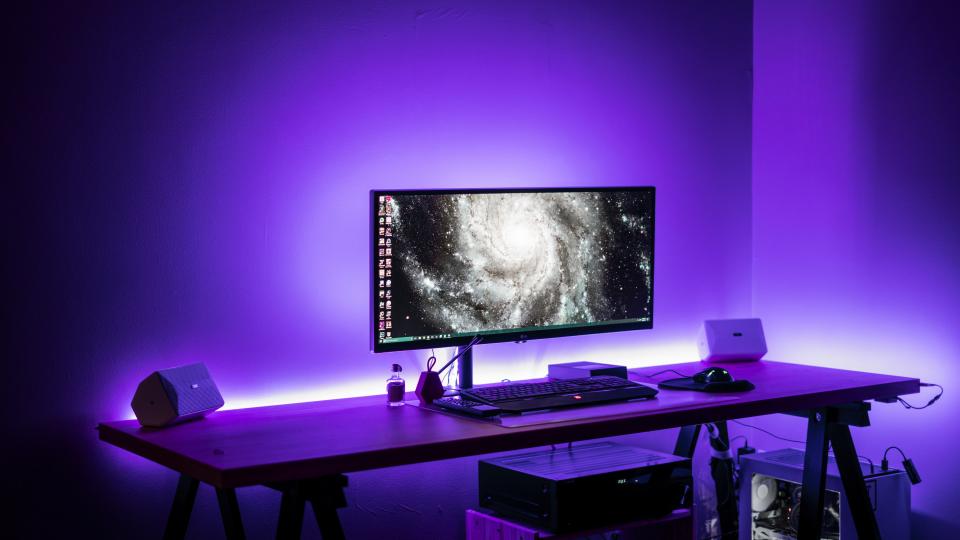
- Behind the monitor. A strip on the desk’s back edge glows softly behind the screen, which many gamers find easier on the eyes during long sessions.
- Behind the TV. Measure the full perimeter, and prefer a gradient or multi-zone strip, since a single color behind a TV looks flat.
- Under shelves and desks. Strips mounted under floating shelves or a desk’s underside add depth without visible glare.
- Around the ceiling or cove. Long strips with connectors trace the room’s edges, which is the most dramatic option and the hardest to install.
Mounting matters too. Adhesive backing fails on textured walls and dusty surfaces. Therefore, budget for mounting clips or an aluminum channel, which also diffuses the light into a smoother glow.
Common Setup Mistakes
- Buying a single-color strip for a TV. Without zones or gradient, the effect falls flat.
- Cutting at the wrong point. Strips only cut at marked lines, and cutting elsewhere kills the segment.
- Extending past the power supply. Add too many extensions and the end of the strip dims or flickers.
- Ignoring the Wi-Fi band. Many strips only join 2.4 GHz networks, so check the router before pairing.
- Forgetting the remote check. Buyers with an Apple Home setup should confirm Matter or HomeKit support per model, not per brand.
Our Recommendation by Situation
- First setup on a budget, maximum effects → a Govee RGBIC strip for the desk or TV.
- Reference-quality TV sync, money no object → a Philips Hue gradient strip with the HDMI sync box.
- Hub-free simplicity with strong brightness → a LIFX lightstrip behind the monitor.
- Room-scale wall art plus lighting → Nanoleaf panels, with an Essentials strip for the desk.
- Renting, moving soon → any adhesive strip from the list, since they peel off cleanly from smooth surfaces.
- Apple-centric smart home → Nanoleaf Essentials for Matter and Thread, or Hue for HomeKit depth.
Final Thoughts
The best smart light strips for gaming rooms balance three things. You need segment control for effects and a sync option that matches how you play. The price should also leave room for the rest of the rig. Govee delivers the most per dollar, and Hue the most accurate TV sync. LIFX and Nanoleaf cover the simpler and the more creative ends of the spectrum. Measure your space, pick the sync style you’ll actually use, and remember that placement beats brand. Done well, the strip behind your screen stops being decoration and starts being part of the game.
Rigging the whole room? Pair your strips with smart plugs for clean schedules and standby control, and see our smart plugs guide for the basics.