If you have read our beginner’s guide to smart homes, you already know that a smart home does not require dozens of gadgets. However, product pages full of premium hubs and cameras make it easy to assume otherwise. The reality is simpler. Starting a smart home on a budget is not a compromise, and it is usually the smarter way to begin.
This guide covers what to buy first, what to skip, how to avoid buying twice, and how to spread the spending across phases. Every recommendation here assumes you want real value rather than a gadget collection.
Why Starting Small Beats Buying a Starter Kit
A starter kit looks like good value because everything arrives in one box. In practice, people use two or three devices from it and leave the rest in a drawer. Those unused devices still cost money, and they often demand their own app and account.
Starting small also teaches you how automation fits your routine. You learn whether you prefer schedules, voice commands, or triggers that fire on their own. Therefore, later purchases match your habits instead of a product bundle.
Light spending keeps you flexible as well. If one device disappoints you, replacing it costs very little. Meanwhile, a large upfront order locks you into choices that are hard to undo.
Step 1: Pick One Problem Worth Automating
“I want a smart home” is a wish, not a shopping list. A specific annoyance is a shopping list. Start with a frustration you hit most days:
- The lamp nobody switches off. The fix is a plug on the existing lamp, and nothing else changes.
- Deliveries sitting in the rain. A doorbell camera answers it, and so does a cheaper camera aimed at the porch.
- Lights burning all afternoon. A plug on a schedule, or a bulb with a timer, removes the habit entirely.
- A bedroom that turns hot by morning. A plug on a fan, or a thermostat schedule, solves most of it.
Write your problem down in one sentence. Then buy the cheapest device that removes it. That habit keeps every purchase honest and blocks impulse buys.
Step 2: What Actually Delivers Value From Day One
Three categories give beginners the most value for the least money. They are also the easiest to run without a hub or a paid plan.
Smart plugs come first. A plug turns any lamp, fan, or coffee maker into a remotely controlled device. Scheduling is the real win, because routines keep running whether you remember them or not.
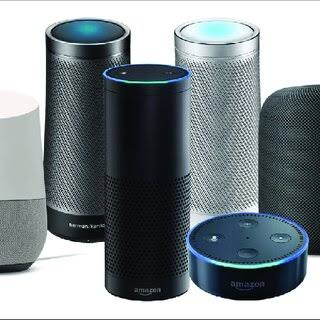
A budget smart speaker comes second. It gives you voice control and, in most platforms, a simple way to group devices together. It also becomes the remote that everyone in the house can use.
Smart bulbs come third. They suit accent lighting, bedside lamps, and rentals where you cannot touch the wiring. Compare them by brightness, colour quality, and how they behave after a power cut.
Before buying any of them, compare these details rather than the marketing:
- Local control. Some devices keep working when your internet drops, and some stop dead. That difference matters more than a polished app.
- Wi-Fi band support. Many budget devices connect only on the 2.4 GHz band, so that band must be enabled on your router.
- Power ratings. Plugs carry a maximum load, and heaters or motor-driven appliances often sit outside the safe range.
- Account requirements. Some brands insist on an account and cloud pairing before the device works at all.
Plenty of what you will read on those pages is marketing noise. A plug does not need artificial intelligence, and a bulb does not need a display. Claims about “learning your habits” usually describe a simple schedule you could set yourself in two minutes. Likewise, a wider colour range only matters if you plan to use colour at all. Ignore the extras, compare the basics, and buy the simpler model.
Step 3: Budget Traps That Cost You Twice
Most overspending happens in the first week, before you know what you actually want. These traps are the ones worth dodging:
- Buying a hub before you need one. Wi-Fi devices talk to your router directly, so they need no extra box. A hub only earns its place once you add Zigbee or Z-Wave sensors. Our breakdown of Zigbee, Z-Wave, and Wi-Fi protocols explains where each one fits.
- Paying for smart versions of appliances you rarely use. A connected kettle or coffee maker carries a premium for features a plain plug already provides on the old model.
- Chasing premium brands too early. Plugs and bulbs are simple products, and budget brands often handle the same basic tasks just as reliably.
- Ignoring battery costs. Door and motion sensors run on coin cells, and cheaper models can drain them noticeably faster.
- Committing to cloud-only hardware. If the app or the service shuts down, that hardware often becomes a paperweight. Local control lowers the risk.
Ecosystem and Compatibility: How to Avoid Buying Twice
Compatibility is where small budgets quietly break. Two devices can both print “works with Alexa” and still behave very differently in the same home. Start by choosing one main platform. Alexa and Google Home carry the widest selection of low-cost hardware. Apple Home enforces stricter certification, and its devices generally cost more. If you already live inside Apple’s ecosystem, that trade-off can still make sense. Our Alexa vs Google Home vs Apple HomeKit comparison covers the differences in detail.
Next, check what each device needs before it will work. Wi-Fi gear joins your network on its own. Zigbee and Z-Wave gear needs a hub or a bridge, which is an extra purchase you should price in upfront. Thread devices need a border router, and many newer speakers and hubs already include one. Matter was created to simplify exactly this mess, by letting certified devices work across platforms. The Connectivity Standards Alliance documentation on Matter is the clearest place to check what that certification actually promises.
Bridges deserve their own warning. Some brands route their cameras, locks, or sensors through a proprietary bridge before your platform can see them. That means an extra box, an extra app, and an extra point of failure in the chain. Buying a bridge later is far more expensive than choosing hardware that connects on its own.
| Device category | What it needs to work | Ongoing costs to expect | Good first purchase? |
|---|---|---|---|
| Smart plug | 2.4 GHz Wi-Fi | Usually none | Yes, the cheapest useful start |
| Smart bulb | Wi-Fi, or Zigbee with a hub | None for basic control | Yes, for lamps and rentals |
| Smart speaker | Wi-Fi plus a platform account | Optional music services | Yes, as your control centre |
| Video doorbell or camera | Wi-Fi, often a power source | Cloud storage plans are common | Later, once basics work |
| Smart lock | Wi-Fi, Zigbee, or Thread, plus a bridge on some models | Batteries and optional cloud features | Later, when security matters |
| Smart thermostat | Compatible wiring and a platform account | None beyond the device itself | Later, if bills justify it |
A Smart Home on a Budget Plan, Phase by Phase
Phases beat deadlines. Add the next device only when the previous one has faded into the background.
- Phase 1, the first week. One plug and one speaker in the room you use most. Outlay stays firmly in the low double digits.
- Phase 2, once routines stick. Add bulbs or a second plug wherever you keep repeating a manual task.
- Phase 3, when you want sensing. Add a motion or contact sensor for hallways, doors, or a pet area. This is the point where a hub may start to make sense.
- Phase 4, when the value is obvious. Cameras, locks, and thermostats deserve more money, because reliability matters more once your home depends on them.
Keep one rule above all others: no new device until the last one has run for a month without you thinking about it. That single rule prevents most wasted spending.
The Costs That Never Appear on the Price Tag
Cheap hardware can still create expensive habits. Cloud storage for cameras is the clearest example, since many brands charge monthly to keep recordings beyond a few days. Subscriptions are optional on paper and often essential in practice.
Batteries are the second recurring cost. Sensors, locks, and doorbells consume cells at very different rates. A poorly managed cheap device can cost more over two years than a better one would. Check battery type and stated life before you buy.
Energy use is the third. Some devices pay for themselves by removing waste, and independent efficiency labelling helps you spot them. If trimming bills is part of your motivation, start with the ENERGY STAR listings for smart thermostats, which are verified against set efficiency criteria.
Security belongs on this list too. Budget devices sometimes ship with weak default settings and outdated firmware. The FTC’s guidance on securing internet-connected devices at home covers the essentials: change default passwords, apply firmware updates, and switch off features you never use.
Mistakes That Cost More Than They Should
- Buying devices that each need a separate app. Ten apps for ten devices is how a budget setup becomes a daily annoyance.
- Assuming every device supports your assistant. Verify the integration on the product page before paying, not after the return window closes.
- Treating a discount as a reason to buy. A sale on hardware you do not need is still wasted money.
- Overloading an older router. A dozen Wi-Fi devices can strain weak hardware, and dropouts get blamed on the devices themselves.
- Skipping the return policy. Compatibility surprises are far cheaper when you can send the device back within the window.
Frequently Asked Questions
Do I need a smart hub to start?
No. Wi-Fi plugs, bulbs, and speakers connect straight to your router, and your chosen platform controls them. A hub becomes useful once you add battery-powered sensors or devices that only speak Zigbee, Z-Wave, or Thread.
How many smart devices should I buy at once?
One or two. Adding more than that makes it harder to tell which device caused a problem. You also learn less about what you actually enjoy using, because everything changes at once.
Is a smart home on a budget still realistic in 2026?
Yes, and arguably more so than a few years ago. Matter certification and cheaper Thread radios mean budget hardware can now work across platforms, which reduces the risk of being tied to one brand.
Will cheap devices work with Alexa and Google Home?
Most mainstream budget brands do support one or both, but support is not automatic. Check the product listing for the specific assistant and the specific model before you order.
What should I avoid buying first?
A smart lock or a camera with mandatory cloud storage. Both need more planning, more money, and more patience with setup than a plug, a bulb, or a speaker.
Do I need to replace my existing switches?
No. Plugs and bulbs deliver most of the benefit without touching your wiring, which keeps both the cost and the risk low. Smart switches only make sense when you want the wall control itself to stay smart.
Final Thoughts
You do not need a large budget to build a smart home that genuinely helps. Spending less at the start usually produces a better result. It forces you to solve one real problem at a time, rather than collecting gadgets you never open. Begin with a plug, add a cheap speaker, and let each purchase prove itself before the next one arrives. The setup that lasts is the one built around your habits, not around a sale.
If you are ready to buy that first device, begin with our roundup of budget smart plugs worth starting with. It explains which features matter at the low end, so your first purchase holds up.
Updated 27 September 2026: this guide was rewritten and expanded, with a decision checklist, a comparison table, compatibility notes and an FAQ added.
Written by Ángel D. Serrano, who runs Automating Our Home. Finishing a philosophy degree, a patient reader of manuals, and the person who has broken more smart plugs than he will admit. He writes the guides so you only have to decide once.