Hubs come up in almost every smart home conversation, and the advice is usually vague. One friend says nothing serious works without one. Another says hubs are pointless now that Matter exists. Both claims hold a piece of the truth, and neither one helps you decide.
Readers ask us the same thing constantly, so it deserves a straight answer: do you need a smart home hub, or not? The answer depends on two things. Which wireless protocol your devices use, and how much you care about automations that keep running when the internet drops.
This guide covers what a hub, a bridge, and a Thread border router actually do. It also explains when a hub earns its shelf space, and how to decide based on the hardware you already own.
What a Hub, a Bridge, and a Border Router Actually Do
A hub is a translator and a coordinator. Your router speaks Wi-Fi and hands out internet access. Zigbee and Z-Wave devices speak low-power mesh languages that never touch the router directly. The hub holds a radio for those languages, keeps the mesh organised, and exposes every device to your phone and voice assistant.
The second job matters more in daily use. Without a hub, each brand’s app talks to its own cloud, and your automations live there too. With one, the logic can run on a small box in your hallway. As a result, a motion sensor can switch a light on in under a second instead of waiting for a round trip to a server.
Bridge versus hub: the label on the box is unreliable
Manufacturers use both words loosely. A bridge usually means a small box that connects one brand to the wider smart home. A lighting system that exposes its bulbs to Apple Home or Alexa is a typical example. A hub tends to mean a platform: several protocols, many brands, and an automation engine.
The practical test is what the box supports. If it lists one brand and one protocol, treat it as a bridge. If it lists Zigbee, Thread, Matter and a third-party device library, it’s a hub. The trade-off is cost and complexity, not terminology.
Why Zigbee and Z-Wave devices can’t just use Wi-Fi
These protocols were designed around battery life, not bandwidth. A door sensor that runs for two years on a coin cell cannot hold a Wi-Fi connection open. That radio would flatten the battery in weeks. Therefore sensors, buttons, and many smart locks use Zigbee or Z-Wave, and they need something to bring them online.
That is also why a hub so often becomes the centre of a larger setup. Instead of juggling five apps, one box can manage Zigbee, Z-Wave, and some Wi-Fi devices through a single interface. Our breakdown of Zigbee vs Z-Wave vs Wi-Fi goes deeper on the radio-level differences.
Where Matter and Thread change the picture
Matter is not a radio. It is a common language that lets an app from one brand control hardware from another. The published specifications from the Connectivity Standards Alliance show it running over Wi-Fi, Ethernet, and Thread.
One distinction saves a lot of confusion here. A Matter controller is any app or box that commissions and commands Matter hardware, and your phone may already fill that role. A hub does that plus protocol translation and local automation. In other words, the vocabulary overlaps, but the hardware doesn’t always match.
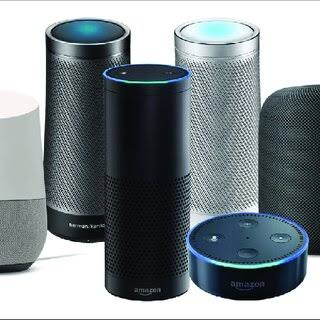
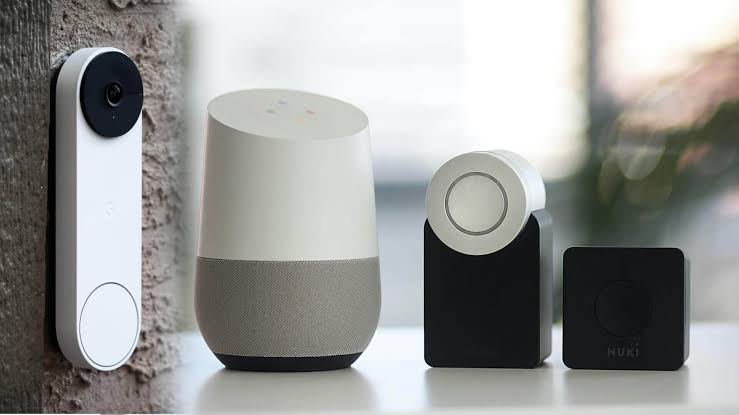
Thread is the part that trips people up. It’s a low-power mesh protocol, similar in spirit to Zigbee, and it needs a border router to reach your network. Many current smart speakers and streaming boxes already include that radio, as the Thread Group’s documentation explains. In other words, you may own the border router without knowing it, which is why some Thread devices work the moment you scan a code.
Do You Need a Smart Home Hub? The Rule That Decides It
Start with your device list, not with the hub. If every device you own connects over Wi-Fi, you don’t need a hub today. That covers most smart plugs, bulbs, cameras, and robot vacuums on the market.
If any of your devices are Zigbee or Z-Wave, you need either a hub or that brand’s own bridge. No app update can supply a missing radio. That single rule settles the question for most households, and it still holds as Matter spreads.
The halfway case: an all Wi-Fi home with a hub anyway
A hub can still improve a Wi-Fi-only home, but the gains are narrower. You get one app instead of five, and automations that span brands. You also get schedules that survive an internet outage, which cloud-controlled Wi-Fi devices usually don’t.
However, that is a quality-of-life upgrade, not a requirement. You’re buying convenience and resilience rather than compatibility. If you’re content with your current apps and rarely automate anything, the money is better spent on better devices first.
How many Wi-Fi devices before things wobble
Consumer routers handle a few dozen connections, and that ceiling arrives faster than most people expect. Every plug, bulb, camera, and speaker holds its own session, and video doorbells stream almost constantly. Congestion shows up as slow commands, devices that drop off, and automations that fire late.
Moving sensors and locks onto Zigbee, Z-Wave, or Thread takes that load off the router. Those devices talk to the hub over their own mesh instead. Therefore a hub can improve reliability even in a home that doesn’t strictly need one. Wait for the symptoms before you spend, though.
What to Compare Before You Buy
Once you’ve decided a hub fits your setup, the differences between models come down to five questions. The table below lists what to check and why it matters.
| What to check | Why it matters in practice |
|---|---|
| Radios built in | A hub without the radio your devices use can’t control them. Read the protocol list, not the badge. |
| Local automation support | Rules that run on the hub keep working when the internet is down. Cloud-only rules stop. |
| Subscription policy | Some platforms charge for recording, remote access, or advanced automation. Others don’t. |
| App quality and lifecycle | A hub is a multi-year purchase. Look for a platform with an active update history. |
| Migration and backup | Being able to export your automations saves hours if you ever change platforms. |
None of those points appear in large letters on the box. Marketing tends to focus on voice control and scenes instead, and most platforms handle both well enough.
Local control is the feature people underestimate
When automations run on the hub, they need no internet connection. A motion sensor still triggers a light, and a door sensor still arms an alarm. If the logic lives in a vendor’s cloud, a dropped connection leaves you with app icons that do nothing.
Self-hosted platforms such as Home Assistant push this furthest, because the whole system runs on hardware you own. On the other hand, that freedom costs setup time and ongoing maintenance. Manufacturer hubs hide the wiring but keep you inside one company’s rules.
Where a Hub Creates New Problems
A hub isn’t free of downsides, and owner discussion of these product lines consistently mentions the same friction points.
- Radio interference. Zigbee, Thread, and Wi-Fi all share crowded spectrum, so a hub sitting against a router can perform worse than one across the room.
- Another app and another login. You gain one control panel, but also one more account, one more update to babysit, and one more thing to reset after a power cut.
- Platform lock-in. Moving dozens of automations to a different hub is tedious, so pick a platform you expect to keep using.
- Subscriptions that appear later. Generous free tiers can shrink over time, and your hardware keeps working while your recordings or dashboards do not.
- Single point of failure. If the hub dies, every Zigbee and Z-Wave device beneath it goes offline at once.
The Realistic Cost of Ownership
Prices shift constantly, so ignore the sticker for a moment and think about the ongoing bill instead. Hubs themselves ask for little: a mains adapter, occasional firmware updates, and no consumables.
The recurring costs sit elsewhere. Sensors run on coin cells or AAAs, and a house full of them becomes a yearly battery errand. Cameras and doorbells often add cloud storage plans. Smart locks need batteries inside the lock and sometimes a bridge. None of that is hidden, and none of it fits into one shopping trip.
A useful habit is to total the monthly subscriptions before buying hardware. Suppose a hub is the only way to keep automations local and avoid those fees. Then its cost can repay itself over a couple of years. If you’re also paying for camera storage, the hub becomes one line item among several.
Common Mistakes and How to Avoid Them
- Buying the hub before the devices. Choose your sensors and locks first, then pick a hub whose radios match them. Working backwards leads to returns.
- Assuming every Matter device is a Wi-Fi device. Many run on Thread, so you need a border router even if you skipped a traditional hub.
- Choosing a single-radio hub. A Zigbee-only platform locks out Z-Wave hardware, which still covers a deep range of locks and sensors.
- Ignoring your assistant. If your household leans on Alexa or Google, confirm clean integration before you commit to a platform.
- Overbuilding on day one. Most homes need a handful of automations, not fifty. Every extra rule adds a failure mode to debug.
Deciding Based on What You Already Own
Take inventory before spending anything. List every smart device, the protocol it uses, and the app that controls it. The pattern usually becomes obvious within ten minutes.
If the list is all Wi-Fi, stop here and put the money into better bulbs, plugs, or a smart thermostat instead. If it includes sensors or locks that arrived with a bridge, you already own the hub function. If it’s a mix and the separate apps annoy you, a universal hub is the cleanest next step. Our comparison of the best smart home hubs for multiple device brands covers the main platforms at that stage.
For the wider picture, the beginner’s guide to smart homes explains ecosystems and planning before hardware. And if compatibility is your main worry, our walkthrough of the Matter smart home standard explains what that logo promises and what it leaves out.
Frequently Asked Questions
Can a smart speaker replace a hub?
Partly. Many speakers include Zigbee or Thread radios, which makes them a genuine hub for those devices. Check the specification for the model you own. If the radio isn’t listed, the speaker is only a voice front end for cloud accounts, and it won’t talk to a sensor directly.
Does Matter mean hubs are dead?
No, though it changes their role. Matter lets apps and assistants control devices from other brands, which reduces the app-juggling problem. It does not remove the need for a Thread border router, and it doesn’t add radios to a hub you already bought for Zigbee.
What happens to my devices if the hub goes offline?
Zigbee and Z-Wave devices become unreachable from your phone, because the hub is their only route onto the network. Manual switches and physical buttons still work. This is a strong argument for placing the hub somewhere with decent power and network stability.
Do I need a hub for smart locks and thermostats?
Usually not for the popular models, since most connect over Wi-Fi or Thread. Some locks and thermostats use Zigbee or Z-Wave, particularly in rental-friendly or retrofit ranges. Check the protocol on the product page before you assume anything.
Is a hub worth it in a small apartment?
Less often. A small space needs fewer sensors, and Wi-Fi coverage is rarely a problem at that scale. Remote control and voice commands cover most of what a one-bedroom setup needs. Add a hub when a specific device demands one.
Final Thoughts
So, do you need a smart home hub? Only if your devices require one, or if you want automations that survive an internet outage. A Wi-Fi-only home can skip the hub and lose nothing important.
When in doubt, wait. Add the hub later, once a particular sensor or routine makes the case for you. Buying late is far cheaper than buying twice.
Still planning your first purchases? Our guide to building a smart home on a budget walks through what to buy first, hub or no hub.
Updated 27 September 2026: this guide was rewritten and expanded, with a decision checklist, a comparison table, compatibility notes and an FAQ added.
Written by Ángel D. Serrano, who runs Automating Our Home. Finishing a philosophy degree, a patient reader of manuals, and the person who has broken more smart plugs than he will admit. He writes the guides so you only have to decide once.