In our article on common smart home myths, we touched briefly on the idea that devices are «always listening.» That deserves a fuller answer, since smart home privacy is a genuinely reasonable thing to think about carefully, rather than dismiss outright or panic over. So let’s go through exactly what your devices actually collect, why, and what you can do about it.
Why This Topic Deserves a Careful Look
Every smart home device needs some data to function. A thermostat needs to know the temperature. A camera needs to record footage. A voice assistant needs to hear your voice to respond to it. The real question isn’t whether data is collected at all, since some collection is unavoidable. Instead, the useful questions are: what specifically is collected, where it’s stored, and who else can access it.
What Voice Assistants Actually Collect
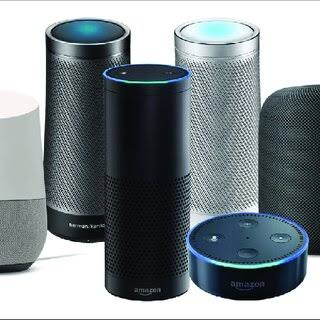
Voice assistants like Amazon Alexa and Google Assistant listen locally for a specific wake word. Once triggered, they typically record and send your request to the cloud for processing, then store a history of these interactions in your account by default.
This history usually includes the audio recording itself, a text transcript, and the time and device associated with each request. Both Amazon and Google allow you to review, and delete, this history through their respective account privacy pages, and both also offer settings to auto-delete recordings after a set period rather than keeping them indefinitely.
What Smart Cameras Collect
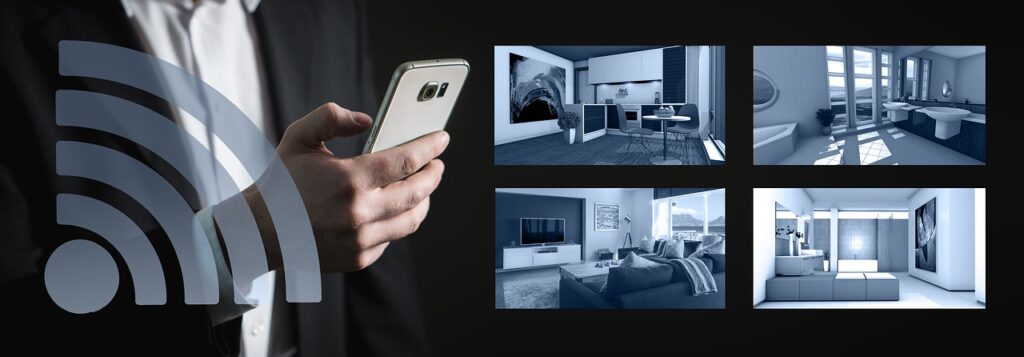
Smart cameras are the category most people are instinctively cautious about, and reasonably so. Depending on the model, a camera may collect continuous video, motion-triggered clips only, audio alongside video, and in some cases, facial recognition data used to distinguish familiar faces from strangers.
Where this footage is stored matters a lot. Cloud-connected cameras typically upload clips to the manufacturer’s servers, often with a subscription required to retain footage beyond a short window. Locally-stored options, which save footage directly to a memory card or a home hub instead of the cloud, exist specifically for buyers who want to avoid that step entirely.
What Smart Thermostats and Sensors Collect
Compared to cameras and voice assistants, this category is relatively low-risk. As we mentioned in our guide to smart home devices that save money, thermostats track temperature patterns and occupancy timing to build your schedule automatically. Sensors, similarly, mostly report simple state changes, such as motion detected or a door opening.
The data here is generally far less sensitive than audio or video, though it can still reveal patterns about when you’re typically home or away, which is worth being aware of if you ever share footage or logs with anyone outside your household.
Who Can Access This Data?
Beyond you, a few groups typically have some level of access:
- The manufacturer, for processing requests, improving their products, and in some cases, for advertising purposes, depending on their specific privacy policy.
- Law enforcement, in certain circumstances, usually through a legal request process, though policies on this vary significantly between companies.
- Third-party integrations you’ve explicitly connected, such as linking a camera to a separate smart home app.
For a deeper, independent look at how companies in this space handle data requests and policies, organizations like the Electronic Frontier Foundation publish ongoing analysis specifically focused on consumer tech and surveillance concerns.
Practical Steps to Improve Your Smart Home Privacy
You don’t need to avoid smart devices entirely to take privacy seriously. A few concrete steps make a real difference:
- Review your voice assistant’s history regularly, and enable auto-delete after a short period (Amazon and Google both offer this in account settings).
- Mute microphones on speakers and displays when you want guaranteed privacy, most models include a physical mute switch that disconnects the microphone at the hardware level.
- Choose local storage cameras if cloud storage is a specific concern for you, though be aware this usually means a smaller feature set and no remote backup if the device is damaged or stolen.
- Read the privacy policy summary, not the full document necessarily, but at least the plain-language summary most manufacturers now provide, which typically clarifies whether data is sold or shared for advertising.
- Keep firmware updated. Security patches often address vulnerabilities that could otherwise expose your data to outside access, not just the manufacturer.
What Regulators Are Doing About It
This isn’t purely a «figure it out yourself» situation. Government bodies like the Federal Trade Commission actively monitor and occasionally penalize companies over how connected devices handle consumer data, and international regulations, particularly in the EU, have pushed manufacturers toward clearer disclosure and stronger default privacy settings industry-wide.
In other words, privacy protections in this space have generally been improving over time, even if progress feels slower than the pace at which new devices launch.
Is the Privacy Trade-Off Worth It?
That’s ultimately a personal decision, and it’s one worth making deliberately rather than by default. Some categories, like smart plugs and sensors, involve fairly minimal data collection and modest risk. Others, like cameras and voice assistants, involve genuinely more sensitive information and deserve a closer look at settings before you set them up.
Our take: it’s entirely possible to build a useful, convenient smart home while still being intentional about privacy. Choosing local-storage options where they matter most to you, reviewing settings periodically, and sticking with manufacturers who publish clear privacy policies goes a long way toward striking that balance.
Final Thoughts
Smart home privacy isn’t a single yes-or-no question. It varies significantly by device category, by manufacturer, and by the specific settings you choose. Rather than avoiding the category altogether or ignoring the topic entirely, the more useful approach is understanding what each device actually collects, checking your account settings periodically, and making informed choices about the categories, like cameras, where privacy matters most to you.
Want to revisit how Matter and modern standards affect data handling across brands? Check out our guide to the Matter smart home standard for more on how cross-brand compatibility is evolving.