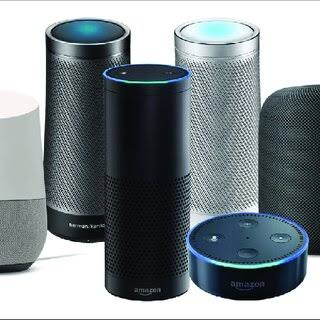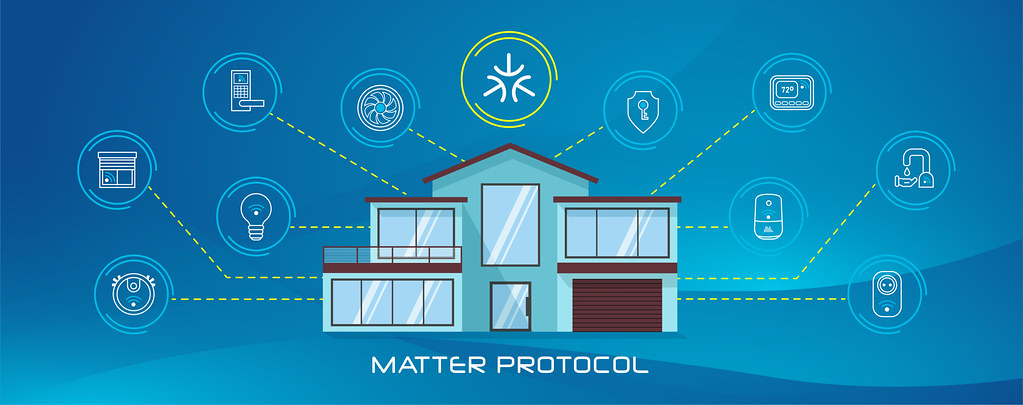
If you have shopped for smart home devices lately, you have probably noticed a small house-shaped logo with a checkmark. It usually sits next to the word “Matter.” That badge has become one of those labels everyone recognizes and few people can actually explain. Understanding the Matter Smart Home Importance in 2026 starts with one plain fact: Matter is a shared language, and its whole point is to stop the brand on the box from deciding which app you are allowed to use.
Here is the short version. Matter is an open connectivity standard, launched in late 2022 by the Connectivity Standards Alliance. It lets certified devices from different makers work together across Alexa, Google Home, Apple Home, and Samsung SmartThings. It does not replace Wi-Fi or Thread, and it does not fix every smart home headache. What it does is remove a specific set of them, and knowing which ones changes how you shop.
The Specific Problems Matter Was Built to Fix
Before Matter, cross-brand compatibility was a promise made product by product. A smart lock built for one ecosystem often disappeared from the other two. As a result, manufacturers shipped separate versions of the same hardware, and buyers compared compatibility lists before every purchase instead of comparing the devices themselves.
Matter attacks three of those problems at once. The first is app lock-in, because a single Matter device can be added to more than one ecosystem. That means you are not forced to pick a favourite assistant on day one. The second is multi-admin, and it is the feature most people underestimate. One light or plug can be shared between Alexa, Apple Home, and Google Home at the same time, each acting as its own administrator, without cloning the device or buying it twice.
The third is local control. Matter devices communicate over your local network first. A command such as turning on a lamp travels from phone to device directly when the app supports it, rather than making a round trip through a distant server. In practice, that keeps simple automations running during an internet outage, and routine actions feel faster. That local-first design is a large part of Matter Smart Home Importance, because it changes reliability and not just convenience. Open platforms such as Home Assistant have championed local control for years, and Matter brings that approach closer to the mainstream.
What Matter Does Not Fix
Matter is often described as a universal translator, and that framing oversells it. It is an application layer that rides on top of an existing network, so it does not replace the radio underneath. A Matter device still connects over Wi-Fi, Thread, or Ethernet, and each of those transports brings its own strengths and limits.
Matter also does not guarantee identical features across ecosystems. A device can be certified yet expose extra settings, firmware updates, or advanced automations only inside the maker’s own app. In other words, you may get it working everywhere and still find that the deepest controls live in one place. Meanwhile, complex categories such as security cameras, robot vacuums, and large appliances have arrived later and with thinner support than plugs, bulbs, and sensors.
Thread and border routers are a separate layer
Thread is the part buyers confuse most often with Matter. The two are related but distinct. Matter defines what a device is and which commands it understands, while Thread is one of the low-power mesh networks those commands can travel over. Think of Matter as the language and Thread as one of the roads.
Thread devices do not speak directly to your Wi-Fi router. They form their own mesh, and a border router bridges that mesh to the rest of your network. Many smart speakers, streaming boxes, and mesh Wi-Fi systems already include one, including recent Apple, Google, and Amazon models. If you buy a Thread-based sensor and have no border router, it will not reach your app, even though its Matter certification is genuine. For a Thread device, check that at least one border router is present and that it belongs to a platform you use. Our guide to whether you actually need a hub for your smart home walks through the cases, and the hubs that support multiple brands are the safest place to start.
“Matter Certified” vs “Matter Compatible”
The exact wording matters as much as the logo. A product described as “Matter certified” has passed the Alliance’s test program and appears in its official product directory. It is a claim a manufacturer has to earn, and one it must keep up as the specification evolves. You can browse the certified products in the official Matter certification directory.
“Matter compatible,” “works with Matter,” and “Matter ready” are looser marketing phrases. Some are honest shorthand for a certified device, but others describe a bridge. Bridging is a real and useful trick. A hub that speaks Zigbee or Z-Wave can expose those older devices to Matter ecosystems, so they show up in your Apple or Google app. However, the bridge is the Matter device, not each bulb behind it, and bridged accessories often lose features or reliability along the way.
There is also the question of versions. Matter has shipped several releases since 2022, each adding device types and refinements, from energy reporting and more sensor types to camera support. Firmware and certification arrive on each manufacturer’s timetable, though. The practical rule is to check the exact product page for the model you want, not the version number of the standard alone. Categories that still lag include security cameras, robot vacuums, and many large appliances, while lighting, plugs, locks, sensors, and thermostats remain the deepest and most predictable.
Matter vs Zigbee vs Z-Wave vs Wi-Fi for a New Device
| Factor | Matter | Zigbee | Z-Wave | Wi-Fi |
|---|---|---|---|---|
| What it is | Application standard | Mesh protocol | Mesh protocol | Network transport |
| Works across Alexa, Google, and Apple | Yes, by design | Via a hub or bridge | Via a hub or bridge | Varies by brand |
| Extra hardware needed | A border router for Thread | A Zigbee hub | A Z-Wave hub | None beyond your router |
| Typical strengths | Cross-ecosystem, local control | Wide device range, low power | Reliable mesh, quieter band | Simple setup, no hub |
| Main trade-off | Younger, uneven by category | Often tied to one hub | Smallest selection | Heavier power and network load |
The table points to a simple decision rule. If you are starting fresh and want the widest future compatibility, lean toward Matter. Treat Zigbee or Z-Wave as the fallback when a specific device you want has no Matter version. For the deeper technical picture, our breakdown of Zigbee vs Z-Wave vs Wi-Fi compares the protocols themselves.
What to Check on the Box Before You Buy
- Certified logo, not just the word. Look for the Matter mark and confirm that the exact model appears in the certified product list, because “compatible” turns up on plenty of boxes that never passed a test.
- Transport. Is it Wi-Fi, Thread, or Ethernet? A Thread device needs a border router, and a Wi-Fi device needs a strong signal where you plan to put it.
- Native or bridged. If a hub bridges older accessories, expect feature and update differences between the bridged device and a native one.
- Feature parity. Check whether firmware updates, detailed history, or advanced settings stay locked to the maker’s own app.
- Multi-admin support. If you share a home, confirm the device can be added to more than one ecosystem at once.
- Ignore “Matter ready.” A promise of a future update is not a certification you can use today.
For anyone who already owns a house full of older devices, the news is mixed but not bad. Existing Wi-Fi, Zigbee, and Z-Wave gear does not become Matter-certified through wishful thinking. Most older hardware will gain Matter support only if the manufacturer pushes a firmware update, and many will not. However, those devices usually keep working inside their original app or hub, and a bridge can surface some of them inside a Matter ecosystem. As a result, the sensible path for most homes is to mix: keep what works, and make Matter the default for anything new.
One further check is account hygiene, and it applies whether you buy Matter or not. A device that reaches the internet needs a strong password and regular updates, and the FTC’s guidance on securing connected devices is a short, practical checklist. Matter reduces some lock-in, but it does not remove your responsibility for the account behind each device.
Why Matter Smart Home Importance Keeps Growing in 2026
The case for caring about Matter is not loyalty to a logo. In fact, it comes down to three practical gains. You can mix brands without maintaining a separate app for each one. You can keep basic automation running when the internet drops. You can also change your mind about which assistant you prefer without replacing hardware. For a standard that is only a few years old, that is a meaningful shift.
It also explains why every major platform keeps investing in it, even though it slightly loosens the grip each company holds over its own customers. Therefore, if you are comparing two similar products and one is Matter certified, that is usually the safer long-term pick. It is not guaranteed to be better today, but it keeps your options open tomorrow.
Frequently Asked Questions
Does Matter work without the internet?
For many devices, yes. Matter is designed for local control, so commands from your phone or a hub can reach a device over the local network even when broadband is down. Remote access, voice assistants, and cloud history still need the internet, so treat local control as a resilience feature rather than a full offline guarantee.
Is Matter the same thing as Thread?
No. Matter is the application standard that defines what a device is and how it is controlled. Thread is one low-power network it can run over, alongside Wi-Fi and Ethernet. A Thread device also needs a border router to reach your network, so the two are partners rather than synonyms.
What is the difference between Matter certified and Matter compatible?
Certified means the product passed the Alliance’s test program and is listed in its official directory. “Compatible” or “works with Matter” is looser wording, and it sometimes describes a bridge rather than a native device. When in doubt, check the exact model on the certification list before you buy.
Can I add one device to Alexa, Google Home, and Apple Home at once?
Usually yes, thanks to multi-admin support. A single Matter device can be shared across multiple ecosystems, each acting as its own administrator. The caveat is feature parity, because some advanced settings and updates may still appear only in the manufacturer’s own app.
Do my older smart devices become Matter automatically?
Rarely. A device gains Matter support only if its manufacturer releases a firmware update that adds it, and many older models never will. Your existing gear normally keeps working in its original app or hub, and a bridge can surface some of it inside a Matter ecosystem.
Which device categories still have weak Matter support?
Support is deepest for lighting, plugs, locks, sensors, and thermostats. Security cameras, robot vacuums, and many large appliances arrived later and remain uneven, so verify the specific model. If the category you need is thin, a brand-specific app may still be the practical choice for now.
Final Thoughts
Matter is not a magic switch that upgrades every device you own, and it does not erase the need for a border router or a solid network. What it does is remove a specific and expensive problem. That problem is the fear that choosing the wrong brand locks you into the wrong app for years. That is why Matter Smart Home Importance is easy to overstate and easy to dismiss, yet hard to ignore once your home holds more than a handful of devices.
Use it as a tiebreaker, insist on the certified logo rather than the word, and check the transport before you buy. Keep the devices that already work, and let every new purchase move you toward a home you can rearrange later without starting over.
Still weighing which platform should run the house? Our Alexa vs Google Home vs Apple HomeKit comparison shows how each ecosystem handles the devices you already own.
Updated 7 October 2026: this guide was rewritten and expanded, with a decision checklist, a comparison table, compatibility notes and an FAQ added.
Written by Ángel D. Serrano, who runs Automating Our Home. Finishing a philosophy degree, a patient reader of manuals, and the person who has broken more smart plugs than he will admit. He writes the guides so you only have to decide once.