Office lighting is usually an afterthought until the first video call makes you look like a silhouette. Then it becomes the most visible room in your house. Smart lighting fixes that, and it does more than impress colleagues. The right setup reduces glare on the screen, keeps your energy steady through the afternoon, and winds the room down when work ends. In this guide, we share practical smart lighting ideas for a home office. We organize them by what you actually do in the space: focused work, video calls, and the hours around them.
Why Office Lighting Deserves Smart Control
Your eyes do the heaviest lifting in a home office, and lighting shapes how comfortable that work feels. The American Academy of Ophthalmology notes that glare and harsh brightness contribute to digital eye strain. Its guidance also says dimming the lighting near your screen can help. Smart lighting makes that adjustable, so the room matches the task instead of fighting it.
Consistency matters as much as comfort. A room that shifts from dim morning to bright afternoon to harsh evening forces your eyes to adapt constantly. Smart scenes hold a steady level, or change deliberately when you want them to. Meanwhile, a home office runs when you choose, not on a municipal schedule, which is exactly why automated lighting earns its place here.
There is also an energy angle. An office often runs its lights for ten hours while the sun provides plenty for half of them. Automations switch off unused zones, and dimmed scenes draw less power. The savings are modest per day and real per year, especially with ceiling fixtures that burn at full brightness by default.
Smart Lighting Ideas, by Office Zone
Think of the office as three zones, each with its own job:
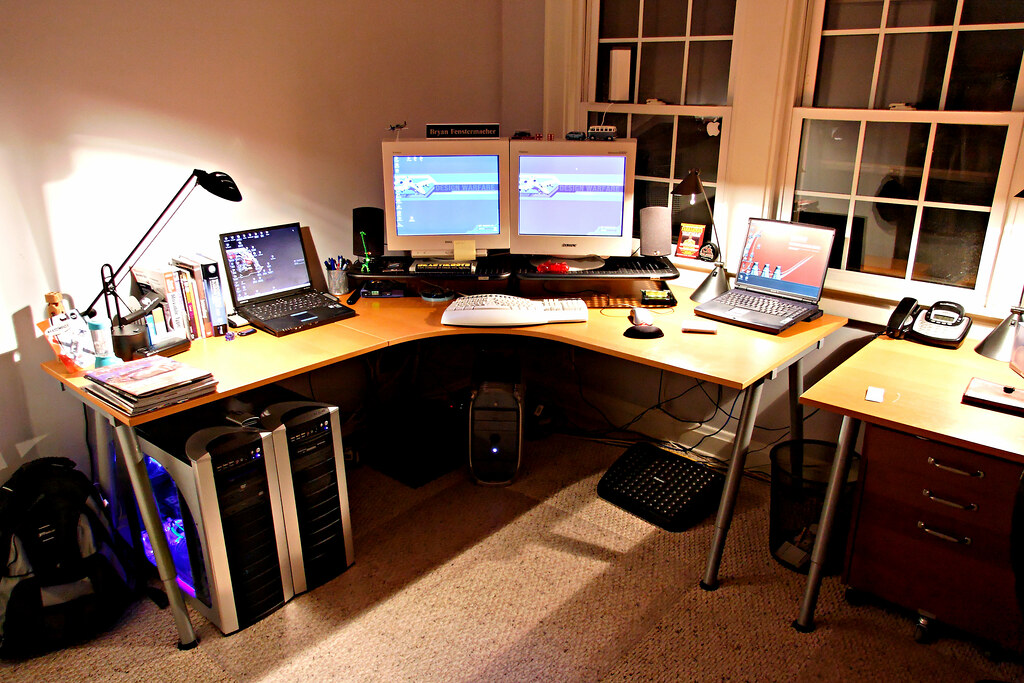
- The monitor area. A light strip behind the monitor softens the contrast between a bright screen and a dark wall. It’s one of the highest-value upgrades in any office, and we covered the options in our smart light strips guide.
- The desk surface. A tunable white lamp at around 4000K keeps paperwork and close work crisp without the blue-white glare of cheap overhead tubes.
- The room edges. Wall or corner lights lift the room’s ambient level, which prevents the cave effect of a single bright spot in darkness.
- Under the shelves. A slim strip beneath floating shelves doubles as task light for reference materials.
- A corner floor lamp. An uplight in the corner softens shadows and balances the room without glare on the screen.
Balance the zones and the office stops feeling like a screen floating in the dark. Don’t light the whole room evenly, either. Offices work best with layers: a bright task pool at the desk, medium ambience around it, and darker edges. That hierarchy guides the eye and makes the desk feel intentional rather than lost in a floodlight.
Lighting for Video Calls That Flatters
Video calls have their own rules, and they differ from desk work. The worst mistake is sitting with a bright window behind you, which turns you into a dark silhouette for everyone else. Fix the order of operations. First reduce the window glare, then add a soft light source in front of you. Place it slightly above eye level and off to the side.
A smart bulb or lamp on a warm-neutral setting around 3500K flatters skin tones far better than overhead cool light. If your office runs on lamps rather than ceiling fixtures, tunable white bulbs carry these scenes. Our best smart bulbs guide covers which models handle them well. Test the setup before a real meeting, and adjust the angle until your face reads clearly on screen.
Do a test recording before the important call. Review it for shadows under your eyes and glare on glasses, then nudge the lamp a few degrees. Small angle changes transform the result, and a saved scene makes the fix permanent. One more detail separates amateur from professional calls: a touch of light on the wall behind you. It creates gentle separation between you and the background, so you don’t merge into the scene. A small lamp or strip aimed at the wall does the job, and it doubles as evening ambience.
The practical rule for calls: light your face, not your wall. Front light wins every time.
Morning Focus and Evening Wind-Down
Light exposure shapes alertness, and a home office can work with that rhythm instead of against it. The Sleep Foundation explains that bright light in the morning promotes wakefulness, while bright light late in the evening can delay sleep. Smart scenes put that pattern on autopilot.
Start the workday with a cool, bright scene around 4500-5000K, which mimics morning daylight. As the afternoon fades, shift toward neutral tones. In the final hour before you stop, move the office to warm, dim light around 2700K or lower. It signals wind-down rather than a second shift. These are simple habits, and none of them requires medical advice or special eyewear.
The pattern also helps people who work unusual hours. A 2 a.m. shift needs daylight-mimicking brightness even when the street is dark, and an evening start calls for cooler tones later than usual. The point isn’t to copy a natural schedule blindly. It’s to give your body consistent cues for the hours you actually keep.
A note on blue light: the Academy of Ophthalmology does not recommend blue-light-blocking glasses for computer use. Screen light hasn’t been shown to damage eyes. Save the money, and use scene control instead.
Scenes and Automations Worth Building
Automations turn good ideas into default behavior. These five scenes cover most offices:
- Morning ramp. Lights fade on cool and bright ten minutes before your start time.
- Deep focus. Desk lamp up, room light steady, phone notifications forgotten.
- Call ready. Front light warm-neutral and flattering, room light softened.
- Lunch break. Everything off except a dim corner, to mark the change of context.
- Wind-down. Warm, low light for the last work hour, then off with one command.
Trigger them by schedule, by voice, or by a button on your desk. If the office has a wall switch you use constantly, a smart switch turns the whole ceiling fixture into part of these scenes. We covered the options in our best smart switches guide. Start with two scenes rather than five, since morning ramp and wind-down cover most of the value. Adding the rest later takes minutes, once the habit actually exists.
What to Buy vs What to Skip
- Worth it: a tunable white desk lamp. It covers calls, close work, and wind-down from one device.
- Worth it: a monitor light strip. The contrast fix costs little and helps every day.
- Worth it: a smart switch for the ceiling light. If you flip that switch daily, automation pays off immediately.
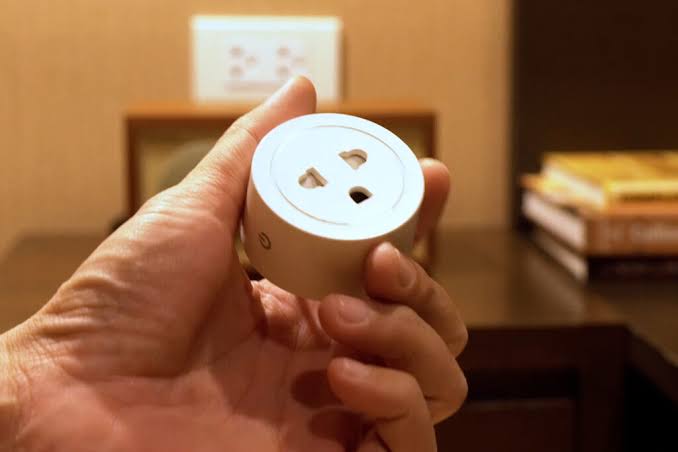
- Worth it: a smart plug for a lamp. It adds schedules to an existing lamp for pocket change.
- Skip: full color everywhere. RGB effects distract in a workspace, and most owners never use them after week one.
- Skip: hub-only systems for a single room. A Wi-Fi bulb or two covers an office without infrastructure.
Office Lighting on a Real Budget, in Three Tiers
Good office lighting does not require a fat budget, and three tiers cover the realistic paths:
- The entry setup. One tunable white bulb in your existing desk lamp, on a schedule. It fixes video calls and adds wind-down for the price of a takeout meal.
- The solid office. Add a monitor light strip and a smart plug for a second lamp. The strip fixes screen contrast, and the plug automates the lamp without touching wiring.
- The full room. Add a smart switch for the ceiling light and a second tunable lamp for the background. Now every light in the room follows the same scenes and voice commands.
Notice what none of these tiers includes: color bulbs, a hub, or a subscription. Offices need tunable white, schedules, and contrast control, and the basics deliver all three.
Troubleshooting Office Light Frustrations
A few complaints repeat across home offices, and each has a simple fix:
- Glare on the screen. The light source is too close to the screen’s plane. Move the lamp higher or farther back.
- Odd skin tones on calls. Mixed color temperatures confuse the camera’s white balance. Keep the room on one temperature family.
- Flicker caught on camera. Cheap LED drivers and deep dimming can strobe on video. Use quality bulbs and avoid the lowest dimming levels.
- A muddy background. Raise the ambient light behind you slightly, which restores depth without stealing the focus from your face.
Our Recommendation by Situation
- Tight budget, worst lighting → one tunable white bulb in the lamp you already own.
- Video calls every day → add the front light and test your angle before the next meeting.
- Ceiling light only, no lamps → a smart switch for the wall, plus a small desk lamp for calls.
- Renting the office space → bulbs and a lamp, which move with you and leave no trace.
- Long evening work sessions → build the wind-down scene first, since it protects your sleep.
- Shared office or frequent guests → keep a physical switch or button in reach, since not everyone wants an app.
- Two monitors or a wide desk → a longer light strip behind the setup for even backlight.
Final Thoughts
The best smart lighting ideas for a home office are the ones that automate the transitions you already make by hand. Start with the contrast behind your monitor and the light on your face for calls, then add the circadian scenes that shape your day. None of this requires a big budget or a hub, just a tunable bulb, a strip, and a schedule. Build it once, and the office will quietly keep you comfortable, presentable, and on time, from the first coffee to the last email.
Desk lamps and office gear run better on schedules. Our smart plugs explained guide shows how to automate the non-lighting side of your desk.