We’ve touched on hubs in a few of our other guides, including our beginner’s guide to smart homes and our breakdown of Zigbee vs Z-Wave vs Wifi. However, it comes up so often that it deserves its own straight answer. So let’s settle it properly: do you need a smart home hub, or not?
The honest answer is: it depends entirely on what devices you’re buying. Below, we’ll walk through exactly how to figure that out for your specific situation.
The Short Answer
If you’re only buying Wifi-based devices, such as most beginner smart plugs, bulbs, and cameras, you don’t need a separate hub. They connect directly to your existing router.
If you’re buying Zigbee or Z-Wave devices, such as many sensors and some smart locks, you do need a hub to bridge them to your phone and voice assistant.
That’s the core rule. Everything else in this article is about the exceptions and gray areas.
What a Hub Actually Does
A hub is essentially a translator. Wifi devices already speak the same language as your router, so they don’t need one. Zigbee and Z-Wave devices, however, speak a different wireless language entirely, one designed specifically for low power consumption rather than for talking directly to the internet. Therefore, they need a hub to translate their signal into something your phone and voice assistant can understand.
This is also why a hub often becomes the center of a more advanced smart home setup. Instead of managing devices through five different apps, one hub can bring Zigbee, Z-Wave, and sometimes even Wifi devices together under a single interface.
When You Genuinely Need One
Here are the situations where a hub stops being optional:
- You’re buying Zigbee or Z-Wave sensors. Motion sensors, door/window sensors, and many temperature sensors rely on these protocols specifically for their excellent battery life, which means a hub is required.
- You want a single automation system across brands. If you’re mixing devices from several manufacturers and want them to trigger each other reliably (for example, a door sensor turning on a light), a hub like Samsung SmartThings or an open-source platform like Home Assistant can coordinate all of them in one place.
- You’ve outgrown Wifi-only automations. Once your setup grows past a dozen or so Wifi devices, network congestion becomes a real issue, as we mentioned in our budget-friendly smart home guide. At that point, offloading some devices to a Zigbee or Z-Wave network run through a hub can actually improve reliability.
When You Don’t Need One
On the other hand, skip the hub entirely if:
- You’re just starting out. As we recommended in our budget guide, a smart plug, a smart bulb, and a basic speaker cover most beginner use cases without any extra hardware.
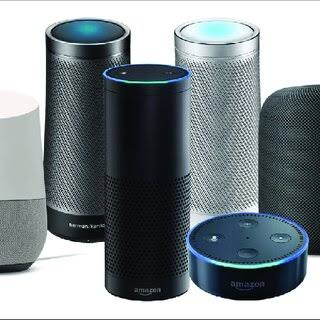
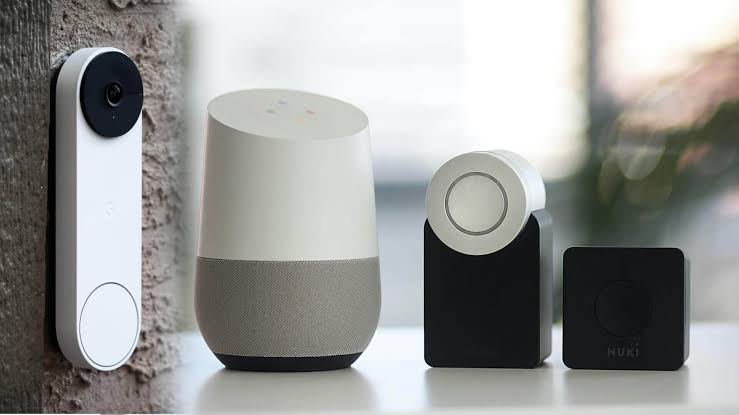
- Your voice assistant already covers your needs. Many Amazon Echo and Google Nest speakers can act as a lightweight hub for a good number of Wifi and Matter-compatible devices, which is often enough for a mid-sized setup.
- You mainly want plugs, bulbs, and cameras. These categories are dominated by Wifi products specifically because manufacturers know most buyers don’t want to deal with extra hardware.
Does Matter Change This?
Partly. If you’ve read our guide to the Matter smart home standard, you’ll know that Matter runs mainly over Wifi and Thread, a newer low-power protocol. In practice, this means some Matter-certified devices work without a traditional hub, while others, particularly those using Thread, still benefit from a Thread border router. Confusingly, some newer smart speakers now include this functionality built in, so you may already own one without realizing it.
What Kind of Hub Should You Buy, If You Need One?
If you’ve decided you do need a hub, you generally have three options:
- A dedicated hub from a device manufacturer (such as a specific brand’s own bridge), which usually offers the smoothest setup but only supports that brand’s ecosystem.
- A universal hub, like SmartThings, which supports a wide range of brands and protocols under one app.
- An advanced, self-hosted option like Home Assistant, which offers the most flexibility and control but comes with a steeper learning curve, making it better suited to more technical users.
For most people, a universal hub is the easiest middle ground between simplicity and flexibility.
Final Thoughts
The question «do you need a smart home hub» almost always comes down to one thing: what protocol your devices use. If you’re sticking with Wifi devices, skip the hub and save the money. If you’re adding Zigbee or Z-Wave sensors, locks, or building a larger cross-brand setup, a hub becomes genuinely useful rather than optional.
When in doubt, start without one. You can always add a hub later, once you have a specific device or automation that actually requires it.
Not sure which devices to start with either way? Our guide on building a smart home on a budget walks through exactly what to buy first, hub or no hub.