Smart home devices that save money are a small, specific group. Everything else on the shelf is sold on convenience, security or novelty, and those are legitimate reasons to buy. They are simply not returns on your money, and mixing the two up leads to disappointing purchases.
Some gadgets recover their cost within a season or two. Others never will, no matter how polished the app looks. The difference usually comes down to three things. How much energy or water does the device control? How much were you wasting before? And does it need a paid plan to work?
How to Judge a Payback Before You Buy
A payback estimate needs four inputs. You need the purchase price, the annual cost you expect to avoid, any subscription the device requires, and the number of years it should last. Divide the first figure by the second and you have a rough payback period. That is the whole calculation, and it beats any savings badge on a product page.
Manufacturers rarely publish the fourth number, because hardware lifespans are unglamorous. In practice, mains-powered devices such as thermostats and irrigation controllers tend to outlast cheap Wi-Fi plugs and battery sensors. That matters when you compare sticker prices. A device that dies in two years and needs replacing is not a bargain.
- What it controls. A thermostat touches your largest energy cost. A smart plug touches one outlet. Weight your expectations accordingly.
- How much you were wasting. Savings come from removing waste that already exists. A badly scheduled house has more to gain than a well-run one.
- Whether it runs without the cloud. Local scheduling survives an outage and a cancelled subscription. Cloud-only automation depends on someone else’s servers.
- Ongoing costs. Batteries, filters, replacement bulbs and monthly plans all eat into the saving you were promised.
Feature lists are not decision criteria. A thermostat with geofencing, dashboards and voice control may save exactly as much as a basic scheduled model. The saving comes from not conditioning an empty house, and the cheapest device that does that captures most of the benefit. Marketing noise is anything that changes how a product feels rather than how much it consumes.
The Smart Home Devices That Save Money in Most Households
Smart Thermostats: The Largest Single Lever
Heating and cooling is usually the biggest energy cost in a home, so control over it matters most. ENERGY STAR reviews smart thermostats and reports that certified models cut heating and cooling costs by roughly eight percent a year when configured well. That figure comes from documented testing, not marketing copy.
The mechanism is boring and effective. A smart thermostat stops conditioning an empty house, and it trims the temperature while you sleep. Both are possible with a manual programmable thermostat. The smart version removes the work of programming it, and it adapts when your routine changes instead of waiting for you to notice.
Two caveats matter before you buy. HVAC wiring varies between homes, and some systems need a common wire or an adapter kit before a thermostat runs reliably. Heat pumps and multi-stage systems also need compatible thermostats that explicitly support them. If you rent, ask your landlord before touching anything wired into a wall, or choose renter-friendly devices that never touch the HVAC at all.
If your current thermostat is already scheduled properly and nobody overrides it, expect much less than eight percent. These devices pay back fastest in homes that sit empty during the day. Wide temperature swings and a household that keeps nudging the dial also help.
Smart Plugs With Energy Monitoring
Standby power is real, and it is also routinely exaggerated. Consumer protection agencies that have studied so-called vampire loads describe a total in the low single digits as a share of household electricity. It is concentrated in a few devices rather than spread evenly. The honest pitch for a smart plug is therefore not a fortune saved, but quick and inexpensive payback.
The feature that earns its keep is energy monitoring, not scheduling. A plug that reports wattage shows you which device is genuinely costing you money. That measurement makes every later decision rational. An older games console that keeps drawing power in standby is a far better target than a phone charger that barely registers.
Once you know the culprits, scheduling becomes simple. Power down the entertainment corner overnight and cut the home office cluster at the end of the working day. A switched power strip does the same job for a media cabinet, though it usually reports less detail.
LED Lighting Plus Automation
The bulb is where the saving lives, and the smart part is the multiplier. LED bulbs use a fraction of the power of the halogen and incandescent lamps they replace. Swapping them out therefore saves money with no app involved. Smart control then removes the human failure mode, which is lights left burning in empty rooms.
Motion sensors in hallways, bathrooms, closets and utility areas deliver the most reliable saving, because those are the rooms people forget. Schedules matter less than buyers expect, since one that ignores daylight can waste as much as it saves. Treat smart lighting as a small, steady win rather than a headline one.
Smart Blinds and Shading
Automated shades are usually bought for comfort, and their savings case depends on climate. In hot regions, closing shades on sun-facing windows during the afternoon reduces solar gain and lowers cooling demand. In cold regions the reverse logic applies: open them during winter daylight to capture free heat, then close them at night.
The catch is cost. Motorised shades are expensive relative to the energy they can realistically avoid, so payback is long in most homes. Treat them as a comfort purchase that happens to shade your cooling bill a little, and you will not be disappointed.
Smart Irrigation Controllers
Outdoor water use can dominate a summer water bill. A controller that checks local weather data before watering removes the most common waste of all: irrigating a lawn that has just had rain. Manufacturer documentation and utility rebate programmes describe the same mechanism, which is skipping cycles after rain and adjusting run times by season.
This is one of the few categories where utility rebates are common, and a rebate shortens payback considerably. If your water provider offers one, apply before you buy, because the paperwork is easier when the device is not installed yet. The saving is also seasonal, so judge the whole year rather than one wet month.
What Looks Like a Saving but Usually Is Not
A lot of smart home hardware is worth owning for other reasons. It just does not pay for itself.
- Smart bulbs without automation. They cost more than standard LEDs and consume the same power. The saving comes from control, not from the bulb being clever.
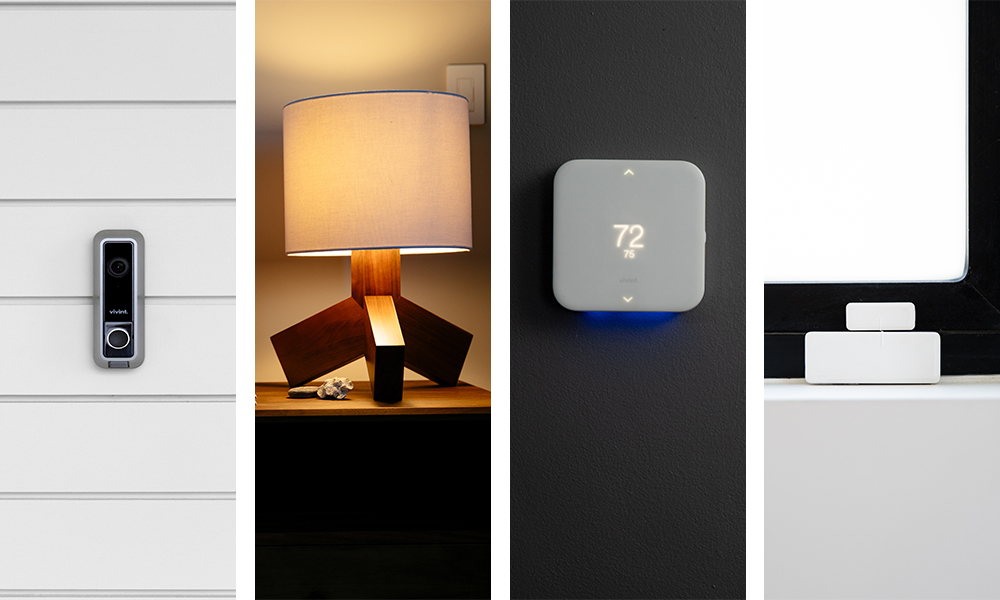
- Cameras and video doorbells. These are security purchases. Cloud recording plans push the lifetime cost further from any energy saving.
- Smart appliances with a premium price. Efficiency gains over a comparable non-smart model are marginal, while the price gap is not.
- Air purifiers and air quality gadgets. Useful in some homes, but they add load rather than remove it, and filters are a recurring cost.
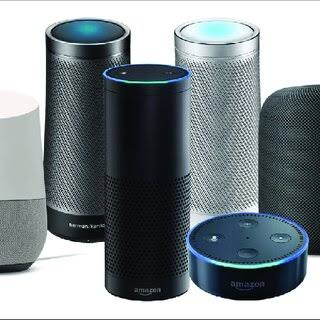
- Voice assistants and speakers. Handy as controllers, but a speaker saves nothing and draws a small amount continuously.
The Running Cost Nobody Counts
A subscription turns a product into a service. Cameras and doorbells are the clearest example, because recording history often sits behind a monthly plan. Without that plan you keep the hardware and lose the feature. That recurring cost belongs in any honest payback calculation, since it can quietly outrun the energy saving you were chasing.
Batteries are the quieter version of the same problem. Battery-powered cameras, sensors, locks and shades all consume cells over time, and cold weather shortens their life further. Mains-powered equivalents avoid that cost entirely. Where a wired option exists and installation allows it, the wired version usually wins on lifetime cost.
Hardware support is the third hidden cost. Some ecosystems need a hub or bridge before energy-saving automations can run locally. A hub that stops receiving updates can strand the devices attached to it, so buy into a widely supported standard where you can.
Payback at a Glance
| Device category | What it controls | Typical payback | Main catch |
|---|---|---|---|
| Smart thermostat | Heating and cooling | One to two years | Wiring compatibility; less gain if already well scheduled |
| Smart plug with metering | Standby draw at one outlet | A few months | Small absolute saving; needs a real culprit to find |
| LED bulbs alone | Lighting load | Fast but small | No control layer, so behaviour stays the same |
| LED bulbs with motion sensors | Lighting load and habits | Under a year | Sensor placement decides whether it works |
| Smart irrigation controller | Outdoor water use | One to two seasons | Seasonal; strongest in variable rainfall |
| Motorised blinds | Solar gain and heat loss | Long, often never | High hardware cost; comfort-led purchase |
| Camera or doorbell | Nothing directly | None | Security value only, plus subscription and batteries |
How to Calculate Your Own Return
Start with the avoided cost, not the device. Take one line from a recent utility bill and estimate what share of it the device can touch. A thermostat affects heating and cooling only. A plug affects the standby draw of one outlet. A controller affects outdoor water during the watering season.
Then subtract the running cost. Add any subscription and the yearly cost of batteries, and compare that with your saving estimate. If a device costs a little each year to run and saves a similar amount, it is not a saving at all. It is a wash, and you are paying a monthly fee for convenience.
Finally, pressure-test the assumption against your own habits. Savings estimates assume an empty house during the day and nobody overriding the settings. If someone is home all day, or the windows stay open in summer, the realistic figure drops. Your habits are the data a product page cannot give you.
Frequently Asked Questions
Do smart thermostats always save money?
No. The documented savings assume the house is left at a different temperature when nobody is home and that the system is set up correctly. In a home that is occupied all day and already well scheduled, the gain can be close to nothing. Rebates change payback more than any feature does, so check whether the Department of Energy’s home upgrade guidance lists one for your system.
Can smart plugs really cut phantom loads?
They cut the standby draw of whatever you plug in, but the total available is smaller than marketing suggests. Measure first, then automate only the devices that show meaningful consumption in standby. A plug without monitoring leaves you guessing, which is why metering matters more than the schedule.
Are smart bulbs worth it for savings alone?
Not as a standalone purchase. A smart bulb costs more than an ordinary LED and uses essentially the same power, so the bulb itself offers no energy advantage. Buy them for control, scenes and colour, and treat the automation that switches lights off as the part that saves anything.
Do smart home devices that save money need a hub?
Often they work over Wi-Fi without one, which is the simplest route for a couple of plugs or a thermostat. A hub or bridge becomes worthwhile once you want sensors, many devices, or automations that survive an internet outage. Support for a common standard makes that later decision easier and protects the hardware you own.
Which device should I buy first?
Start with the thermostat if you own the property, because it touches the largest cost and has the strongest documented case. If you rent, or the heating system is not yours to change, begin with metering plugs instead. They are cheap, reversible, and they show you where the rest of your money goes.
Final Thoughts
Most smart home purchases are convenience purchases, and that is a legitimate reason to buy. If saving money is the goal, though, the smart home devices that save money come down to a short list. A thermostat and a handful of metering plugs will do more for your wallet than any number of flashier products. They also cost far less than the alternatives marketed beside them.
Planning the rest of your setup? Our step-by-step guide on building a smart home on a budget shows how to sequence these purchases without overspending.
Updated 27 September 2026: this guide was rewritten and expanded, with a decision checklist, a comparison table, compatibility notes and an FAQ added.
Written by Ángel D. Serrano, who runs Automating Our Home. Finishing a philosophy degree, a patient reader of manuals, and the person who has broken more smart plugs than he will admit. He writes the guides so you only have to decide once.