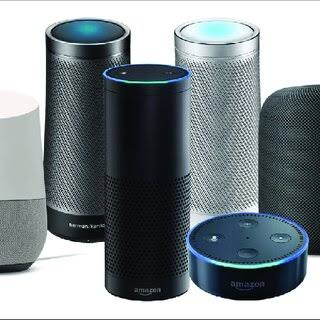
Search for advice on connected devices and you will meet the same warnings again and again. People insist you need a hub for every device. Others warn that Wi-Fi collapses past a dozen gadgets, and that any camera is a spy tool in disguise. Those claims were closer to the truth five years ago. Today they survive mostly because nobody bothers to update them.
This article takes the most persistent smart home myths and separates what is still accurate from what has gone stale. The aim is not to sell you a setup. It is to help you recognise which concerns deserve your attention and which ones you can safely ignore.
Why Most Smart Home Myths Come From an Older Era
The category changed quickly, and public perception did not keep pace. Early gear was expensive, ran on closed apps, and often needed a separate bridge for each brand. As a result, the advice people repeated made perfect sense at the time.
Three shifts broke that old picture. Basic devices became much cheaper. Standards work consolidated competing protocols under shared umbrellas. Meanwhile, phone apps replaced the clumsy setup wizards of the past. Therefore, guidance written for the 2018 market now describes a market that no longer exists.
None of this means every problem is solved. It means each claim deserves a specific answer instead of a blanket denial.
Myth 1: You Need a Hub to Run a Smart Home
You do not need a hub just to switch on a lamp. Plugs and bulbs connect to your router directly. For one room, that is genuinely enough.
Hubs earn their place once devices stop being decorative. A hub lets a motion sensor trigger a light while your internet connection is down. It also lets you combine brands inside one set of automation rules.
The useful distinction is between device types, not brands. Zigbee and Z-Wave devices almost always need a hub or a bridge, because they use their own radio bands. Wi-Fi devices rarely do. Our guide to whether you actually need a smart home hub walks through the trade-offs. The short version is simple: buy the hub when you have a reason, not before.
The word “hub” also covers two very different things, which is where much of the confusion starts. A smart speaker can act as a hub for some devices, yet it usually routes commands through a cloud service. A dedicated hub from a brand such as Hubitat or Home Assistant keeps the automation logic on your own network instead. Therefore, two products can both be called hubs while behaving nothing alike.
Myth 2: Wi-Fi Cannot Cope With a House Full of Smart Devices
This myth contains a real kernel of truth, which is why it refuses to die. Consumer routers do have practical limits. Cheap routers handle dozens of simultaneous connections poorly.
However, the raw device count is rarely the problem. Two other factors matter far more, and both relate to how your network is arranged. Most smart devices use tiny amounts of bandwidth, so they do not saturate your connection. They do compete for airtime on a crowded 2.4 GHz band, alongside your neighbours’ networks and older gadgets.
In practice, the fix is boring but effective. Spread devices across bands where your router allows it. Keep cameras away from whatever else already crowds that band. Choose a router that publishes a realistic connection limit rather than a marketing number.
If you plan to fill a large house, mixing protocols beats piling everything onto Wi-Fi. Our comparison of Zigbee, Z-Wave and Wi-Fi explains where each one fits.
- Low-bandwidth devices. Sensors, bulbs and plugs send tiny bursts of data, so they rarely stress a capable router.
- Camera streams. These are the real bandwidth consumers, so count them separately from sensors and switches.
- Band overlap. The 2.4 GHz band reaches further, but it also carries more interference from nearby networks.
- Router age. A router with a small connection table struggles long before bandwidth becomes the issue.
Before you worry about capacity, count honestly. A home with twenty bulbs, four sensors and two plugs is not the same as a home with six cameras. Manufacturers publish connection limits, and routers sold at similar prices vary widely in what they support. In other words, the useful question is what your router can hold, not how many gadgets you own.
Myth 3: Matter Fixes Every Compatibility Problem
Matter is a genuine improvement, and it does reduce lock-in. The Connectivity Standards Alliance designed it so certified devices could work across Alexa, Google Home and Apple Home. The organisation’s official documentation for the standard sets out how certification and device types are defined.
The myth hides inside the word “every”. Matter covers a defined list of device types and features. Cameras, for instance, arrived later than lights and plugs, and advanced options frequently stay inside the manufacturer’s own app. In other words, a device can carry the Matter logo and still need its native app for firmware updates or detailed settings.
Confusion between Thread and Matter causes most of the disappointment here. Thread is a radio technology that needs a border router to reach your home network. Matter is the layer that lets apps and assistants control a device. A product can support both, only one, or neither, so read the specification instead of the packaging slogan.
Treat Matter as a baseline, not a promise. Before buying, confirm which features work in your chosen ecosystem and which only work in the brand’s app. Our guide to the Matter smart home standard explains what the specification actually covers today.
Myth 4: Cameras Exist Only to Spy on You
The concern is not paranoia. Cameras collect video, and many brands process clips in the cloud. Well-documented cases of poorly secured feeds exist, so a flat denial would be dishonest.
However, the myth merges two separate questions. How does the camera transmit footage, and what does the manufacturer do with it? You control the first one directly.
Local storage changes the calculation. A camera that records to a memory card or a local recorder can keep working without sending clips to a remote server. Local setups also avoid the recurring cloud fee that many brands charge for video history.
Basic security habits remove most of the risk that makes headlines. The US Federal Trade Commission publishes guidance on securing internet-connected devices, and the advice reads like ordinary password practice rather than advanced networking.
- Change default credentials. Reused or weak passwords explain a large share of reported incidents.
- Enable two-factor authentication. It blocks the most common account-takeover attempts.
- Install firmware updates. Patches close known holes, and they usually arrive quietly.
- Use privacy mode. Many indoor cameras include a physical shutter or a software mute.
Subscription design is the part worth checking before you buy. Some brands lock video history, person detection or smart alerts behind a monthly plan. Others allow local recording without one. That single decision shapes long-term cost far more than the camera’s retail price does.
Myth 5: You Have to Rewire the House
Renters hear this one constantly, and it is wrong for most product categories. Plugs, bulbs, battery sensors and portable cameras need no wiring work at all. They plug in or stick on, and they leave without a trace when you move out.
A smaller group does touch the building. Smart locks and some thermostats involve door hardware or HVAC wiring. However, you can build a capable setup without ever entering that group.
The test to apply is reversibility. Ask whether you could remove a device and restore the original state in an afternoon. If the answer is yes, you are working inside a safe category.
Renters should also weigh deposit risk, not just installation effort. Adhesive mounts and cable covers can mark paint or leave residue behind on a wall. Damage of that kind is normally cheap to repair, but planning the removal before the install saves an awkward conversation later.
Myth 6: A Smart Home Is Always Expensive
Anyone can spend a fortune on connected gear, which is why the reputation sticks. The misunderstanding treats the premium end as the entry price. A plug, a bulb and a speaker make a usable starting point, and simple devices are the cheapest part of the category. Our guide to building a smart home on a budget shows how little a first setup needs.
The cost that surprises people is not hardware. It is ownership over time: cloud subscriptions, batteries for sensors, and replacements when cheap devices fail early. Therefore, compare total cost of ownership rather than sticker price.
Protocol choice also shapes long-term cost, because hub-dependent devices need a hub to function at all. The table below compares the main approaches.
| Approach | Needs a hub or bridge | Works during an internet outage | Best suited to |
|---|---|---|---|
| Wi-Fi devices | No | Rarely, unless the app supports local control | Simple rooms and a first purchase |
| Zigbee or Z-Wave | Yes | Often, for automations stored on the hub | Many sensors and dependable routines |
| Thread with a border router | Border router required | Sometimes, depending on the platform | New devices that support Matter |
| Bluetooth only | No | No | Setup and occasional direct control |
Utility is the other half of the cost argument. A smart thermostat can trim heating and cooling runtime. The Energy Star programme also maintains a smart thermostat FAQ that explains how scheduling and occupancy sensing produce those savings.
Common Mistakes That Keep These Myths Alive
- Buying devices before choosing an ecosystem. Pick your primary assistant first, then check compatibility before checkout.
- Ignoring band requirements. Many devices refuse to join a 5 GHz-only network, which causes a large share of setup failures.
- Assuming a logo replaces research. Certification covers core features, not every option buried in an app.
- Forgetting running costs. Subscriptions and batteries decide whether a cheap device actually stays cheap.
- Over-automating on day one. Start with two routines that fix a real annoyance, then expand slowly.
- Skipping updates. Firmware patches are the cheapest security upgrade available to you.
None of those mistakes needs technical skill to avoid. Each one needs a few minutes of checking before you click buy.
Frequently Asked Questions About Smart Home Myths
Do I need a hub if I only own two or three devices?
No. A handful of Wi-Fi plugs or bulbs works fine without one. Add a hub when you want sensor-driven automations or devices that keep working offline. Until then, it is an extra box and an extra point of failure.
Will my smart home keep working during an internet outage?
Partly. Local automations that run through a hub usually continue, while voice assistants and remote access stop. The outcome depends on where the logic lives.
Can a budget router handle a full house of smart devices?
Sometimes, but the connection table matters more than the advertised speed. Cameras strain a router far more than sensors and switches do.
Does a Matter logo guarantee full compatibility?
No. It guarantees that a defined set of features works across ecosystems. Extra features may still require the manufacturer’s own app. Check the device type list published by the standard body before you assume a feature is covered.
Can renters build a useful smart home?
Yes. Plugs, bulbs, portable cameras and battery sensors install without permanent changes. Avoid locks and thermostats unless your landlord agrees. A rental setup is often more flexible, because every device can move with you.
Do smart speakers record everything I say?
They listen locally for a wake word and transmit audio once it triggers. False activations do happen, so review your privacy settings and use the microphone mute.
Final Thoughts
Most of these concerns are accurate descriptions of a market that has moved on. Prices fell, setup simplified, and cross-brand standards removed the worst lock-in. Meanwhile, the worries that remain, such as privacy and security, are specific problems with specific fixes.
So the next time someone tells you that a smart home is too expensive or too complicated, ask which device they mean. The answer usually turns out to be narrower than the warning.
If data collection worries you most, our guide to smart home privacy and what your devices are collecting covers the settings worth changing first.
Updated 27 September 2026: this guide was rewritten and expanded, with a decision checklist, a comparison table, compatibility notes and an FAQ added.
Written by Ángel D. Serrano, who runs Automating Our Home. Finishing a philosophy degree, a patient reader of manuals, and the person who has broken more smart plugs than he will admit. He writes the guides so you only have to decide once.